
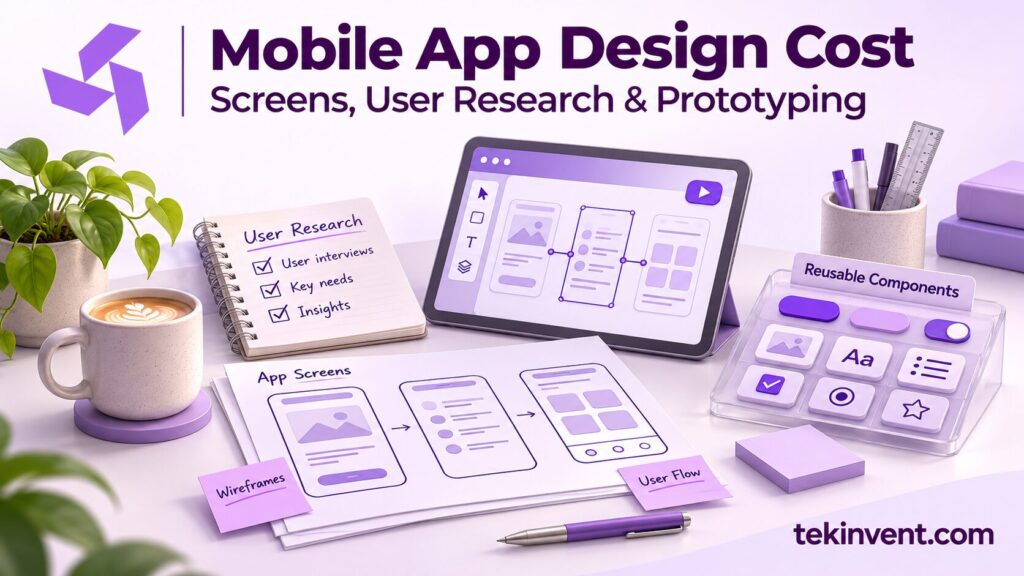
Mobile app design cost depends on the decisions the design work must resolve. A small interface for a familiar task may need a focused set of flows and screen designs. A product serving several user types, with unfamiliar workflows or high-stakes actions, may require research, testing, and more rounds of iteration before the team can hand designs to developers.
Screen count is useful for estimating production effort, but it does not capture the whole job. A booking flow with a few screens can demand more thought than a large set of static informational pages. To get a useful estimate, define the user problem, the release scope, the research expected, the design deliverables, and how the team will validate its decisions.
What app design work can include
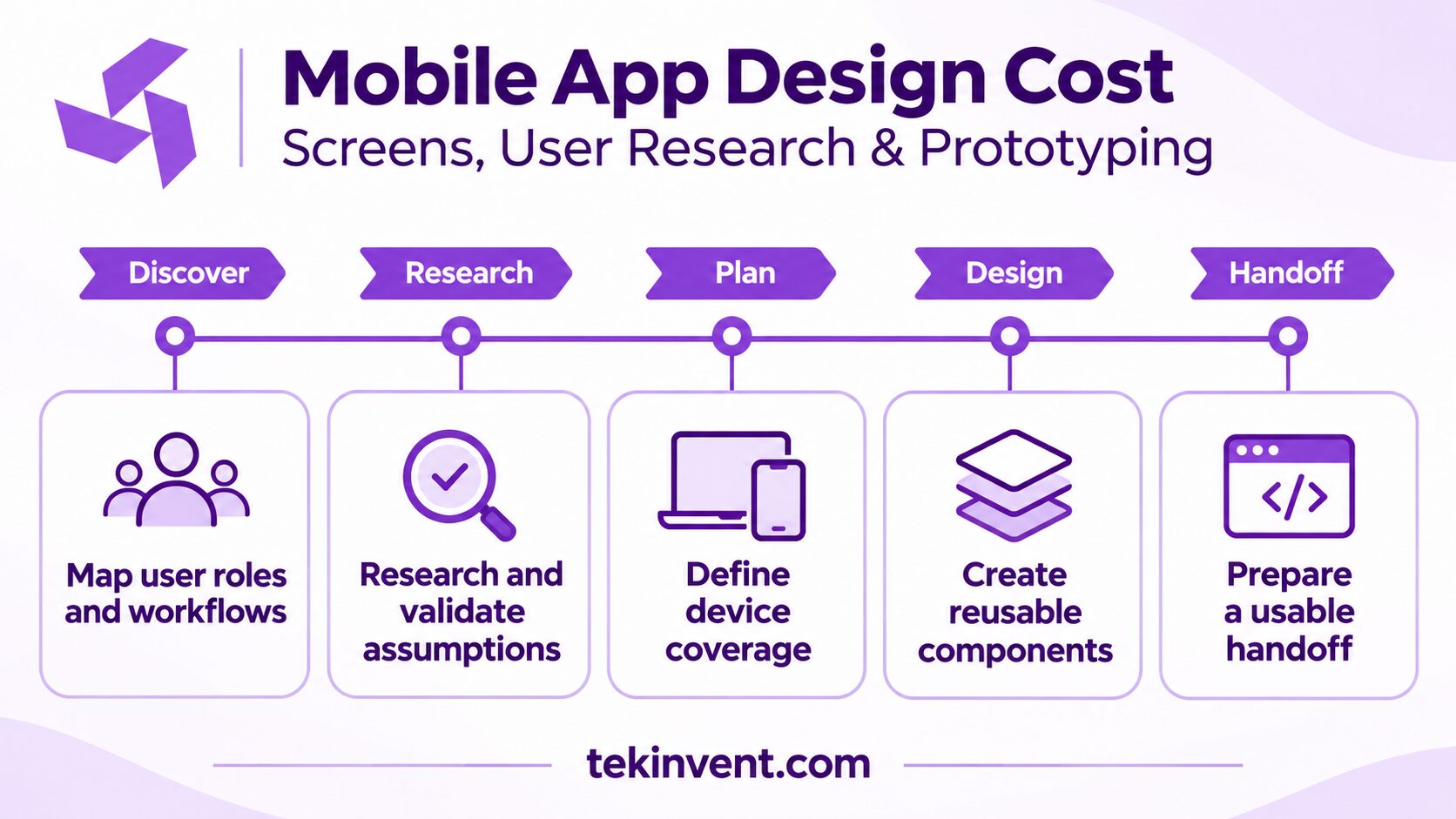
“Design” may refer to several different stages. Product discovery clarifies user needs and business constraints. Information architecture organizes content and navigation. Interaction design defines how people complete tasks. Visual design sets typography, color, and component appearance. Prototyping makes flows testable before engineering begins. A design system documents reusable components and rules. Handoff prepares specifications and assets for implementation.
Not every app needs the same depth in each stage. If you are extending a mature product with established patterns, the team may be able to reuse research and components. If users struggle with an existing process or the product introduces a new behavior, research and testing can prevent the team from polishing the wrong solution.
Clarify deliverables in the proposal. “Design included” is vague. Ask whether it includes user flows, wireframes, high-fidelity screens, clickable prototypes, responsive states, accessibility considerations, design source files, and developer support during implementation.
The factors that affect design effort
User types and workflow rules
Each user group can bring different goals and permissions. A scheduling app may serve customers, providers, and administrators. Their screens may share a brand but differ in priorities, terminology, and allowed actions. Work increases when users need separate dashboards, approval paths, or exception handling.
The number of screens can also hide the number of states. A sign-up flow may include normal entry, invalid input, forgotten password, identity verification, waiting, and recovery after a failed connection. Those states affect both the experience and what developers must build. Count meaningful states alongside screens.
User research and validation
Research effort depends on what is already known. A product team with support tickets, analytics, and direct access to customers has evidence the designer can examine. A team entering a new market may need interviews or usability sessions to understand terminology and task constraints.
Research should answer decisions. If the uncertainty is whether users understand a new navigation model, a prototype test may be enough. If the team does not know how staff currently handle a workflow, interviews and observation can uncover hidden steps. Avoid commissioning research without a question or a plan for using the findings.
Testing a prototype can reveal confusing labels, missing states, or unnecessary steps before they become expensive to change in code. It does not guarantee that every user will behave the same way; it gives the team evidence to refine the next version.
Platforms and device conditions
Designing for iOS and Android involves shared brand choices and platform-specific details. Navigation, permission requests, keyboards, system dialogs, and expected gestures may differ. The right level of platform adaptation depends on the audience and product. Document which patterns are shared and where the design intentionally diverges.
When the product must serve both platforms, review the decision through the lens of iOS vs. Android app development. The design question is how users complete the same task naturally on each device, not whether every element must look identical.
Also account for text scaling, screen sizes, one-handed use, contrast, and assistive technology. A control that looks clear on a designer’s phone may be difficult to use with enlarged text or a screen reader. Accessibility is easier to consider during layout and interaction design than to retrofit after implementation.
Visual identity and reusable components
An established brand system can reduce decisions, but it may not include mobile-ready components or rules for dense data. A new product may need a visual direction, reusable buttons and form controls, and guidance for error and empty states. The first few components take more setup; reuse can make later screens more consistent.
Do not assume a design system saves time in every project. It requires naming, documentation, and governance. If the product has only a handful of screens, a lightweight component library may be enough. If several teams will add features over time, clearer rules can reduce inconsistent patterns and repeated design work.
For a broader view of how app design fits into implementation planning, consult a mobile app development company. The design estimate should still state its own scope so design and engineering responsibilities are clear.
How to estimate design scope
Begin with the primary user journey. Write down the trigger, the information a user needs, the decisions they make, and the outcome they expect. For a prescription refill app, for example, the core flow might include choosing a medication, confirming pharmacy details, reviewing a request, and seeing its status. Exceptions such as an expired prescription or unavailable medication should be noted as separate states.
Next, group screens by pattern rather than counting every variation as a new design. Several list pages may share a layout, while a complex checkout or scheduling flow may need unique interaction work. This inventory helps the team estimate reusable templates and special cases separately.
Then decide which questions need validation before visual polish. If users do not understand the terms used by staff, test the language. If the main concern is whether a dense dashboard fits on a phone, build a low-fidelity prototype and check it on device. Research methods should fit the uncertainty, audience access, and product risk.
A design brief might include:
- Target users and the task the first release must support
- Existing research, analytics, support themes, or brand materials
- Platforms, device constraints, and accessibility expectations
- Required flows, roles, and important error or empty states
- Prototype, testing, and handoff deliverables
- The people who can review work and make decisions
The final point affects timing as well as cost. If stakeholder feedback arrives in separate rounds or decisions wait on several departments, the calendar can stretch even when the design work itself is modest. Choose one decision owner and schedule review points before the project begins.
Find the design questions worth testing
TekInvent can help shape a focused research and prototype plan around your users’ main task.
Design, wireframes, and prototypes are different
Wireframes show structure and priority without committing to final visual styling. They help teams compare layouts and navigation early. A prototype connects screens or interactions so users and stakeholders can try a flow. High-fidelity designs show more detail and can guide implementation, but visual polish does not substitute for testing the underlying task.
Choose the artifact that answers the question at hand. If the team is debating what belongs on the home screen, a wireframe may be sufficient. If the risk is a confusing multi-step process, a clickable prototype is more useful. If developers need to build a stable, approved flow, detailed design files and component rules matter.
This sequence can change. Teams may need a rough prototype early, then return to research after it exposes a question. The goal is to spend design effort where it reduces uncertainty, not to complete a rigid set of documents for its own sake.
For teams preparing the next planning step, custom software development can connect interface decisions to backend rules and integration requirements. That matters when a screen depends on data or permissions that have not yet been defined.
Avoid paying to design features that may not ship
An early product plan often includes a long feature list. Design each item at full fidelity only after deciding that it belongs in the release. A restaurant app may begin with menu browsing, ordering, and status updates; loyalty tiers, group ordering, and personalized offers can be evaluated later if they do not support the first learning goal.
This is not a rule to make every first version bare. A feature should stay in scope when users cannot complete the core task without it, when legal or operational requirements demand it, or when removing it would invalidate the product test. The team should state why each feature is included.
If designs change often, record why. A change caused by user testing is useful learning. A late request from a stakeholder may still be valid, but it should be assessed for added states, screens, and development impact. A visible change log prevents the team from treating rework as unexplained design slowness.
What to expect at handoff
Good handoff gives developers enough context to implement behavior, not merely copy a static picture. Include component states, spacing and typography rules, interaction notes, assets, and unresolved questions. If a design uses a third-party map, payment, or identity service, identify what the service supplies and what the app must still display.
Plan for designer availability during implementation. Developers may find edge cases that were not visible in the prototype, and the team may need to adjust a layout for real data or platform constraints. A defined review process helps preserve intent without treating every pixel difference as a defect.
Make your design estimate comparable
Ask each design partner to describe the same user flow and list included deliverables. Compare research assumptions, platform coverage, prototype depth, revision rounds, testing, design-system work, and handoff support. If one quote includes customer interviews and another starts from supplied wireframes, the totals measure different work.
Decide who supplies users for research, who approves the designs, and how quickly feedback is expected. If the team has existing research or a visual system, share it before estimating. A clear brief makes it easier to separate design decisions from engineering unknowns.

Build Smart with The Right Team.
We bring expertise, technology, and trust you look for in your digital journey.