

There is no meaningful flat price for telemedicine app development without knowing how care will be delivered. A basic video visit workflow has different requirements from a platform that includes patient intake, provider scheduling, payments, clinical records, prescriptions, and follow-up. The budget depends on the number of workflows, integrations, user roles, safeguards, and operating responsibilities in scope.
Instead of comparing headline estimates, define what the app must let patients and providers do. Then ask development teams to price the same workflows and show which assumptions affect the estimate. That makes it easier to separate essential launch work from later features.
Start with the type of care interaction
Telemedicine can include live video appointments, secure asynchronous messages, remote monitoring, or a combination. Each model has different design and support needs. A live consultation needs scheduling, a reliable connection, and a plan for reconnecting if a call drops. Messaging needs clear response expectations and a way to route urgent concerns. Remote monitoring needs rules for what data is collected and who reviews it.
Define the care scenario before choosing technology. Is the app for follow-up visits with existing patients, a new patient intake process, behavioral health sessions, or a specialist consultation? Which staff roles participate? What happens before and after the visit? The answers shape both the patient experience and the system architecture.
Do not frame a video feature as a full telehealth service by itself. Patients may need to verify identity, provide consent, share relevant information, join a waiting room, complete the visit, and receive follow-up instructions. Providers need scheduling, patient context, documentation, and a way to handle no-shows or technical problems.
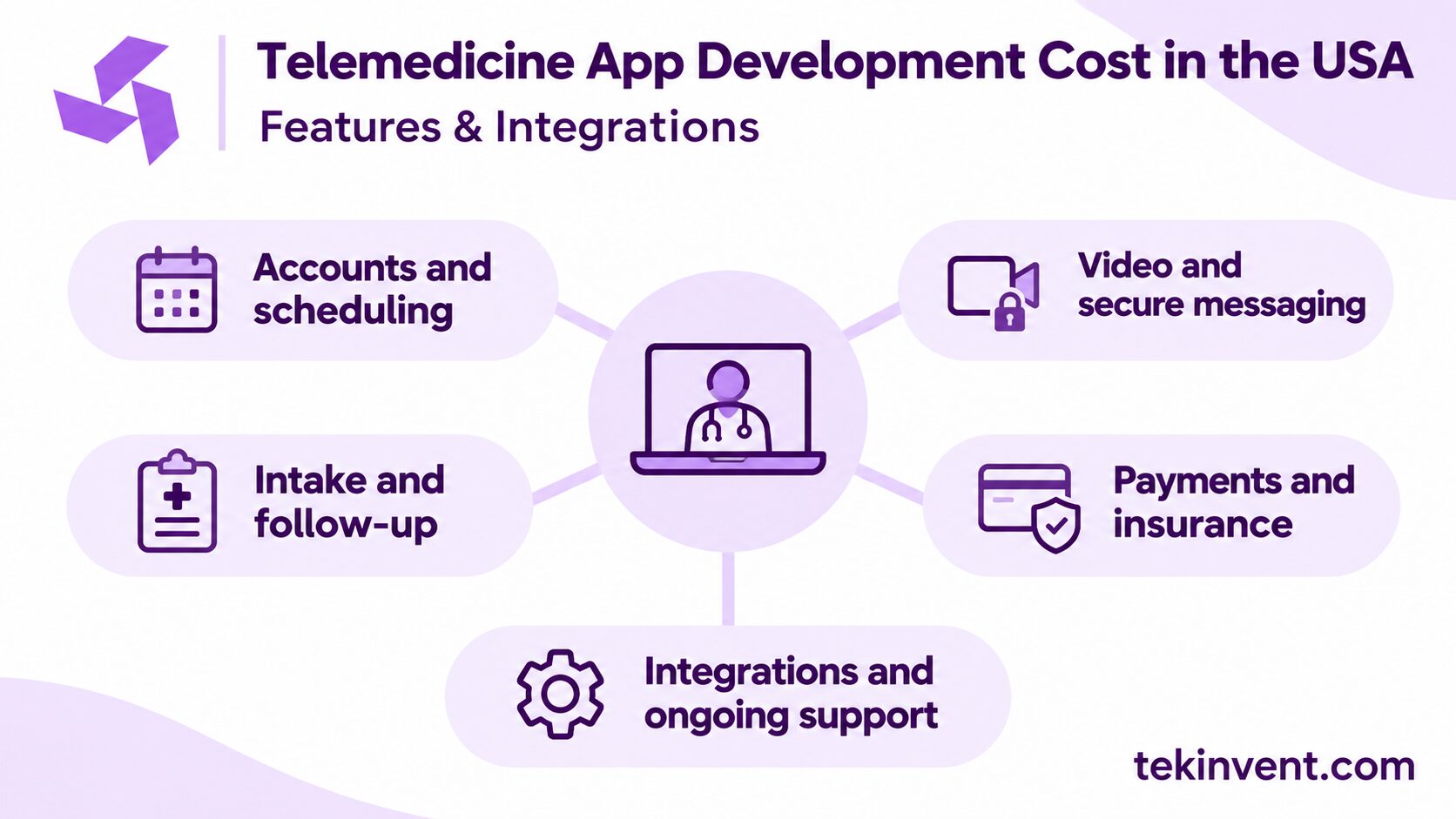
Feature groups that affect the budget
Patient and provider accounts
The product may need separate experiences for patients, clinicians, schedulers, and administrators. Each role requires its own access rules and screens. Account recovery, identity verification, permissions, and staff management should be included in scope rather than left as assumptions.
Scheduling and reminders
Scheduling can involve appointment types, provider availability, time zones, cancellations, rescheduling, and reminders. If availability comes from another system, the integration and conflict rules must be defined. A simple request form is less complex than a real-time calendar synchronized with a practice management system.
Video and messaging
The team needs to decide whether to use a third-party communication service or build specialized functionality. Evaluate connection quality, supported devices, accessibility, waiting rooms, file sharing, and how sessions are handled when a participant disconnects. If sensitive information is involved, review the vendor’s role, security safeguards, and required agreements before selecting a service.
Intake and follow-up
Intake forms, consent, visit summaries, care instructions, and follow-up tasks can make virtual care easier to use, but they also add content and workflow requirements. Identify who writes and approves clinical information, where completed forms go, and how staff act on patient responses.
Payments and insurance workflows
If the app collects payments or supports insurance-related steps, define which transactions it handles and which system remains authoritative. Payment providers, billing tools, refunds, receipts, and exception handling all affect implementation and testing. Keep the first release limited to what the care model requires.
Integrations are a major source of uncertainty
Common connections include electronic health records (EHRs), scheduling and billing systems, identity tools, payment services, pharmacies, and communication vendors. “EHR integration” is not one fixed task. Specify whether the app must read records, write visit data, sync demographics, or exchange appointment information, and how often updates need to happen.
For every connection, clarify data ownership and failure behavior. What if an appointment changes in the EHR after the patient receives a reminder? What if a visit ends but documentation does not sync? Who sees the error and can correct it? These questions reveal work that a broad feature label can hide.
Confirm vendor access, API documentation, test credentials, sandbox availability, and approval steps early. Third-party system owners may control parts of the schedule. Include time to coordinate and test with them instead of assuming integration work can begin on day one.
Privacy, security, and regulatory review
Determine whether the organization is a HIPAA covered entity or business associate and how the app will handle protected health information. Not every wellness or health-related app falls under HIPAA in the same way; legal obligations depend on the product and its relationships. Consult qualified counsel and privacy professionals for the specific service.
Where HIPAA applies, risk analysis and risk management should guide the safeguards. Budget for access controls, authentication, encryption, audit records, monitoring, secure backups, incident procedures, and vendor review. A “HIPAA-ready” label from a tool provider is not a substitute for assessing the complete system and the organization’s practices.
Reduce the data footprint. Avoid sending sensitive details to general-purpose analytics, crash logs, or notification previews unless the use has been reviewed. Use synthetic or properly de-identified data during development when possible, and test access permissions before real patient information enters the system.
Some software functions may raise additional clinical or regulatory questions, especially if they interpret information or influence care decisions. Identify the product’s intended use with clinical and legal advisors before putting those functions into scope.
Build a realistic telemedicine budget
Ask for a cost breakdown by workstream rather than a single number. A useful estimate separates discovery, design, patient and provider interfaces, backend development, video or messaging services, integrations, testing, deployment, and support. It should state the platforms, roles, workflows, and external systems included.
The main cost drivers usually come from project-specific work:
- Number and complexity of patient and staff workflows
- iOS, Android, web, or a combination of platforms
- EHR, scheduling, billing, and payment connections
- Video, messaging, document sharing, or remote monitoring
- Security, privacy, accessibility, and clinical review
- Data migration, content preparation, and staff training
- Testing with real devices, users, and integration environments
No universal feature adds the same amount of work to every project. A provider with an accessible scheduling API may have a different integration effort from one that relies on manual vendor coordination. Ask the team to list assumptions and identify what would change the estimate.
Remember the cost after launch
Development is only one part of the operating plan. Telemedicine products may have recurring charges for hosting, video minutes, messaging, identity verification, monitoring, and third-party support. Costs can change as usage grows, so understand the provider’s pricing model and how to monitor consumption.
Budget staff time for account support, appointment issues, content updates, access reviews, and incident response. Define who owns each task and how patients reach help. A product that works technically can still create operational strain if no team is responsible for handling exceptions.
Plan for maintenance and compatibility updates. Mobile operating systems, browsers, vendor APIs, and security expectations change. Confirm how updates are prioritized, who approves them, and what support is available when an integration stops working.
Estimate Your Telemedicine App Scope
TekInvent can help map care workflows, integrations, and operating requirements before development.
A practical way to reduce estimation risk
When the full project is uncertain, begin with discovery and a testable prototype. The discovery work should produce a workflow map, feature priorities, integration assumptions, a data-flow diagram, risks, and a phased estimate. Test the patient and clinician flow with representative users before making a full-build commitment.
For a limited launch, choose one care workflow and one patient group. Keep manual processes visible and safe. Avoid using a pilot to claim the service can scale automatically; use it to learn about task completion, connection problems, support demand, and provider workload.
When comparing proposals, share the same requirements with each team. Ask how they handle third-party dependencies, testing, security review, release management, and post-launch support. A lower initial quote may exclude important integration or operating work, while a detailed estimate may include tasks another proposal leaves unstated.
If the project is ready to move from requirements to implementation, a mobile app development company can help estimate the work around the actual care workflow and platform needs. TekInvent also provides healthcare app development services for organizations planning patient- or provider-facing products.
Example: scope a follow-up visit before adding more features
Imagine a clinic wants existing patients to book a follow-up, join a video visit, and receive instructions afterward. A first scope could include patient sign-in, appointment selection from the scheduling system, a video session, a provider view of the appointment, and a follow-up message. Even this focused workflow needs rules for cancellations, late arrivals, failed connections, and where visit documentation is stored.
The clinic could defer new-patient onboarding, payments, remote monitoring, and multiple EHR connections if those capabilities are not needed to test the follow-up process. That does not mean they are unimportant. It means they should have separate requirements and estimates so they do not obscure the cost of the first workflow.
During discovery, ask the scheduling and EHR vendors what access they provide and what data can be exchanged. Confirm whether the video service can be used under the organization’s requirements and what the patient sees if the session cannot start. These answers often change the implementation plan more than a minor screen-design choice.
When the clinic compares proposals, it can check whether each includes the same flow: booking, connection, documentation, and follow-up. If one proposal assumes staff will enter visit information manually and another includes an integration, the prices represent different operating models.
Decide what evidence the pilot needs
Before development begins, agree on the pilot’s limits and success measures. A clinic might test whether established patients can join a scheduled visit and receive follow-up instructions without staff troubleshooting every session. Track connection failures, support requests, missed appointments, and the amount of manual documentation required.
Also decide which patient group and providers will participate, how they will be invited, and who reviews feedback. This gives the team a bounded way to validate the service and prevents a pilot from quietly turning into a full deployment without a support plan.
Make the estimate answer practical questions
A useful telemedicine estimate explains what the product includes, what it depends on, and what the organization must provide. It accounts for patient and clinician workflows, integration access, safeguards, testing, and ongoing ownership. With those details in view, a provider can choose a focused first release and understand what will drive later expansion.
Avoid committing to a build based on an appealing feature list alone. The better starting point is a care interaction that can be delivered reliably, supported by the team, and evaluated against a clear operational goal.

Build Smart with The Right Team.
We bring expertise, technology, and trust you look for in your digital journey.