
A successful mobile game rarely starts with thousands of lines of code or beautifully designed characters. It starts with a simple question: why would someone want to keep playing this game?
That question shapes almost every stage that follows.
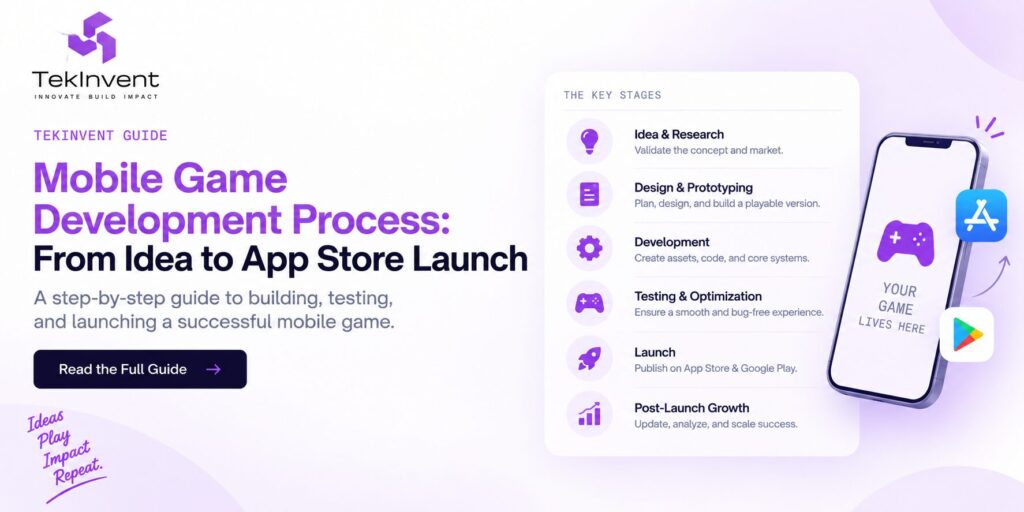
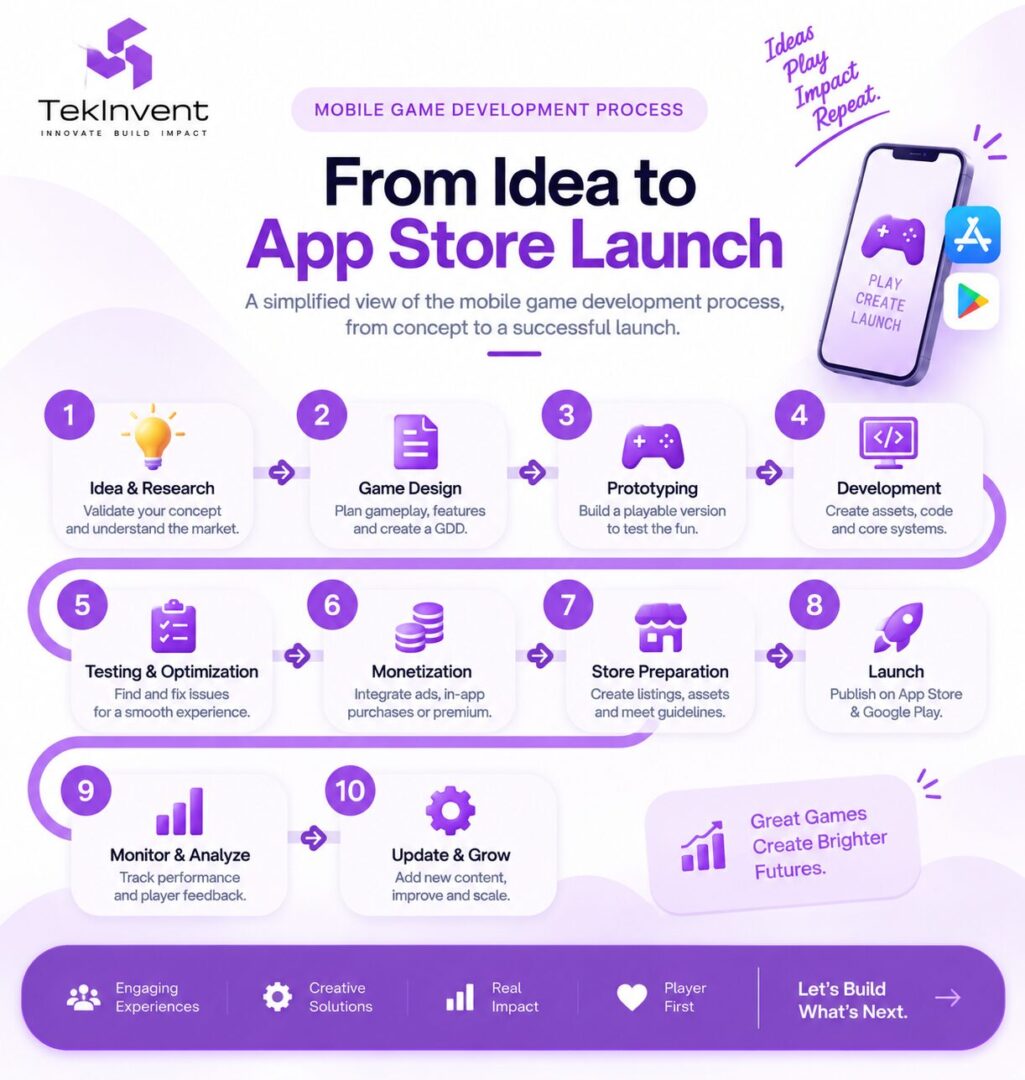
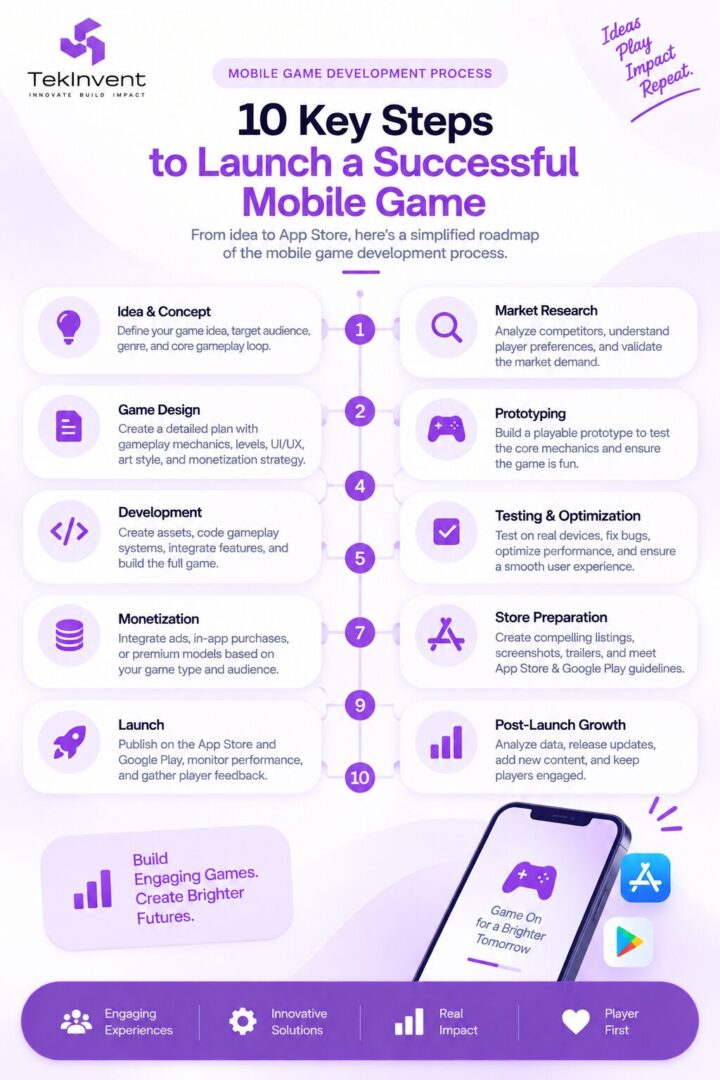
The mobile game development process takes an initial concept through market validation, game design, prototyping, art production, programming, testing, optimization, store preparation, launch, and post-launch improvement.
Skipping one of these stages may appear to save time initially, but it can create much more expensive problems later.
A beautiful game with a weak gameplay loop may struggle to retain players. A fun game that performs poorly on real devices can receive negative reviews. A technically polished game without a monetization strategy may attract users but fail commercially.
For businesses and founders, understanding the complete process before production begins makes budgeting, hiring, scheduling, and feature prioritization much easier.
Here is how a mobile game moves from an idea to something players can actually download.
Stage 1: Turn the Game Idea Into a Clear Concept
“I want to build a mobile racing game” is an idea.
It is not yet a development plan.
Before designers or developers begin production, the concept needs boundaries.
Who is the target player? Is the game casual or competitive? Will sessions last two minutes or thirty minutes? Is it single-player or multiplayer? Will it be portrait or landscape? Is the initial release for Android, iOS, or both?
The core gameplay loop is particularly important.
Consider a simple puzzle game. A player may solve a puzzle, earn a reward, unlock the next challenge, improve something, and repeat.
A racing game could follow a different loop: race, earn currency, upgrade a vehicle, unlock tracks, and compete again.
That repeated experience is the foundation of the game.
If the core loop is not engaging, adding more characters, levels, visual effects, or monetization systems usually will not solve the underlying problem.
The initial concept should therefore define the player, genre, core mechanic, platform, visual direction, business model, and approximate scope.
Stage 2: Research the Market Before Building
Game development should not happen in isolation.
Before investing heavily in production, study games competing for the same player’s attention.
This does not mean copying successful titles.
The purpose is to understand the market.
Look at how competing games introduce new players to their mechanics. Examine their controls, progression, session length, monetization, art direction, reviews, and recurring complaints.
Reviews can be especially valuable.
Players frequently explain what frustrates them. They may complain about excessive advertisements, repetitive levels, confusing controls, poor performance, aggressive monetization, or slow progression.
Those complaints reveal opportunities.
Market research should ultimately answer two questions.
Does an audience exist for this type of game?
And what reason will that audience have to choose your game instead of alternatives already available?
A technically impressive game without a clear player proposition can still struggle after launch.
Stage 3: Define the Game Scope
Scope is where an exciting concept becomes a manageable product.
Suppose the original idea includes 50 levels, six characters, multiplayer, customization, leaderboards, achievements, daily rewards, social features, and multiple environments.
Each feature creates additional work.
A new character may require concept art, animation, sound, programming, balancing, interface elements, and testing.
Multiplayer introduces networking, synchronization, matchmaking, backend infrastructure, accounts, latency considerations, and substantially more QA.
Instead of treating every idea as a launch requirement, separate essential features from future possibilities.
Your first release should contain enough content to deliver the intended experience without turning version one into an endless production cycle.
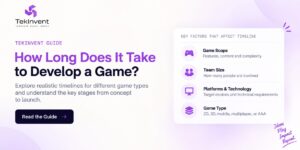
This is also where your schedule begins becoming realistic. TekInvent’s guide to the game development timeline explains how scope, multiplayer, platforms, art requirements, testing, and production complexity affect how long a game takes to build. TekInvent
Stage 4: Create the Game Design Document
Once the scope becomes clearer, the team needs a shared production reference.
A Game Design Document, commonly called a GDD, can document how the game is expected to work.
It may cover gameplay mechanics, controls, characters, levels, progression, rewards, currencies, difficulty, user interface, audio, art direction, monetization, and other important systems.
The document does not need to predict every detail perfectly.
Games evolve during development.
Its purpose is to make sure programmers, artists, designers, stakeholders, and testers are working toward the same product.
Without that alignment, one team may design something based on assumptions that another team never intended.
The GDD should therefore be treated as a working document that becomes more precise as important decisions are validated.
Stage 5: Choose Between 2D and 3D
The visual format influences far more than appearance.
It affects asset production, animation, cameras, lighting, performance, team skills, development tools, and potentially the budget.
A 2D puzzle game may use sprites, illustrations, tilemaps, and 2D animation.
A 3D adventure game could require models, textures, materials, rigging, animation, lighting, cameras, and environment optimization.
Neither approach is automatically better.
The choice should reflect the gameplay and intended player experience.
Our detailed 2D vs 3D game development guide covers the differences in production requirements, team needs, costs, platforms, and creative possibilities. TekInvent
For the mobile project itself, decide this early. Changing the fundamental visual pipeline after significant production has begun can create substantial rework.
Stage 6: Choose the Right Game Engine
The engine becomes the technical foundation of the project.
Unity and Unreal Engine are two widely used options, but engine selection should not be based on popularity alone.
The team needs to consider the game’s visual requirements, target mobile devices, developer expertise, rendering needs, asset pipeline, integrations, multiplayer requirements, performance targets, and future platform plans.
A lightweight 2D puzzle game has very different technical requirements from a graphically demanding multiplayer 3D action game.
The existing TekInvent guide on Unity vs Unreal Engine goes deeper into graphics, programming, 2D and 3D workflows, mobile development, cross-platform requirements, and engine selection.
The important point is to choose an engine for the project you are actually building rather than choosing the project around an engine.
Stage 7: Build a Playable Prototype
A prototype should answer a critical question before full production begins:
Is this actually fun to play?
The prototype does not need polished graphics.
A racing game could use an unfinished vehicle and simple track. A platformer could test movement and jumping with placeholder assets. A combat game could initially focus only on movement, attacks, damage, and enemy reactions.
The goal is learning.
Does movement feel responsive?
Do players understand what they need to do?
Does the core mechanic remain interesting after repeated use?
Are the controls comfortable on a touchscreen?
Is the concept technically feasible?
Finding a fundamental gameplay problem during prototyping is much cheaper than finding it after months of final art and content production.
Only after the core experience proves itself should the team aggressively expand production.
Stage 8: Design the Mobile Game UX and UI
Mobile games operate within unusual physical constraints.
The display is small.
Controls happen on the same surface where gameplay appears.
Different devices have different screen sizes and aspect ratios.
Buttons, menus, maps, inventories, currencies, rewards, tutorials, and other interface elements therefore need to communicate information without overwhelming the player.
Touch targets need to be comfortable.
Important gameplay should not be hidden behind the player’s fingers.
Tutorials should teach through interaction where possible instead of presenting large walls of instructions.
The interface also needs to account for interruptions. Mobile players may receive calls, switch applications, lose connectivity, or stop playing unexpectedly.
Save states and session recovery become part of the experience.
Good mobile UX should feel almost invisible. Players should spend their attention playing rather than trying to understand the interface.
Stage 9: Create the Art and Animation Pipeline
Once the visual direction has been validated, production assets can be created systematically.
For a 2D game, this may involve character illustrations, sprites, environments, backgrounds, icons, effects, interfaces, and animation frames.
For a 3D game, the pipeline may include modeling, UV mapping, textures, materials, rigging, animation, lighting, environments, visual effects, and optimization.
Consistency matters as much as individual quality.
A game containing beautiful assets that appear to belong to different visual worlds can feel unfinished.
Performance must also be considered while creating those assets.
A highly detailed model or enormous texture may look excellent on a workstation but consume unnecessary memory or processing resources on a smartphone.
Art direction and technical optimization should therefore develop together rather than being treated as completely separate stages.
Stage 10: Develop the Core Game Systems
Production is where the game begins turning into a complete product.
Developers implement movement, physics, combat, scoring, AI, progression, saving, inventories, rewards, currencies, level logic, interfaces, audio systems, and other gameplay functionality.
Online games may additionally require authentication, databases, matchmaking, networking, leaderboards, cloud saves, server logic, and other backend components.
This is also where architectural decisions become important.
A system that works for ten levels may become difficult to manage across hundreds if scalability was never considered.
Developers therefore need to think beyond making individual features work.
The systems should work together reliably and remain maintainable as the project grows.
Stage 11: Design Progression Around Player Motivation
Getting someone to install a game is only the beginning.
The game needs reasons for the player to continue.
Progression can come from unlocking levels, developing characters, collecting items, improving skills, completing challenges, advancing through a story, competing against other players, or mastering increasingly difficult mechanics.
Rewards should reinforce the core experience rather than distract from it.
Progression also needs appropriate pacing.
Give everything away too quickly and the game may lose long-term goals.
Make advancement unnecessarily slow and players may leave.
Testing progression with actual players is much more reliable than assuming a spreadsheet automatically represents fun.
Stage 12: Decide Monetization Before Launch
Monetization should be designed into the experience rather than attached to it at the last minute.
Common mobile approaches include premium purchases, advertising, in-app purchases, subscriptions, cosmetic items, battle passes, and combinations of these models.
The correct choice depends on the game and its audience.
A premium narrative game may fit a one-time purchase.
A casual free-to-play game may rely on advertising or optional purchases.
A continuously updated competitive game may support cosmetics or seasonal content.
The important principle is alignment.
Revenue mechanics should not destroy the reason players enjoyed the game in the first place.
Developers should also consider platform requirements for purchases and store distribution while these systems are being designed, rather than shortly before submission.
Stage 13: Test on Real Mobile Devices
A game running correctly inside a development environment does not mean it is ready for players.
Real devices expose problems.
Different processors, GPUs, operating-system versions, memory limits, resolutions, refresh rates, network conditions, and battery constraints can affect the experience.
Testing should therefore cover gameplay functionality as well as crashes, frame rate, loading, memory, controls, UI scaling, save systems, interruptions, network behavior, and device-specific problems.
Google’s current Android performance guidance specifically treats startup latency and runtime performance as measurable quality concerns. Android Developers
Testing also needs humans.
Players may misunderstand mechanics that seemed obvious to the development team. They may discover exploits, difficulty spikes, confusing interfaces, or boring sections that automated tests cannot identify.
Technical QA tells you whether the game works.
Playtesting helps tell you whether the game works for players.
Stage 14: Run Beta Testing Before Public Release
A controlled beta gives the team an opportunity to observe the game outside the development environment.
Google Play provides internal, closed, and open testing tracks before production release. Its internal testing track supports up to 100 selected testers, while closed and open testing provide broader pre-release options. Google Help
For iOS, Apple’s TestFlight allows teams to distribute beta builds to internal and external testers before the public App Store release. Apple Developer
Beta testing can expose crashes, compatibility problems, onboarding confusion, progression issues, monetization friction, and balancing problems.
More importantly, it lets teams see how people behave when developers are not standing beside them explaining what to do.
That is often where some of the most useful product insights appear.
Stage 15: Optimize Performance Before Launch
Optimization should happen throughout production, but the final stages require focused performance work.
The team should evaluate frame rate, memory consumption, loading time, application size, network usage, thermal behavior, battery consumption, and asset efficiency.
This is particularly important in mobile development because the potential hardware range can be enormous.
Developers should establish minimum supported devices and performance targets rather than trying to make every possible device behave identically.
Visual quality can then be adjusted intelligently.
A stable game running smoothly on the intended hardware is generally more valuable than graphical effects that make gameplay inconsistent.
Stage 16: Prepare the App Store and Google Play Listings
Finishing the build is not the same as finishing the launch.
The store listing is effectively the game’s storefront.
Teams need to prepare the app name, description, icon, screenshots, preview material, categories, age-rating information, privacy details, and other required metadata.
These assets deserve genuine attention because players may see the store page before they experience the game.
Apple currently distributes apps and games through 175 storefronts and 50 languages, demonstrating how large the potential distribution footprint can become. Apple Developer
Apple also recommends understanding its review requirements during development rather than waiting until submission. Its review process covers technical, content, design, security, and related requirements. Apple Developer
Similarly, Google Play requires developers to prepare their store listing and review requirements before rolling out a production release. Google Help
Store compliance belongs inside the development plan, not outside it.
Stage 17: Launch the Mobile Game
Launch day is an important milestone, but it is not the end of the project.
Teams should be ready to monitor crashes, reviews, server health, analytics, acquisition, retention, monetization, and unexpected player behavior.
A staged rollout can be useful in some situations because it gives developers an opportunity to observe production behavior before exposing the game to the entire intended audience.
The first days can reveal issues that never appeared during internal testing.
The ability to respond quickly matters.
A launch plan should therefore identify who monitors technical performance, who handles player feedback, how urgent fixes are prioritized, and how updates will be deployed.
Stage 18: Measure What Players Actually Do
Opinions matter, but behavior provides another layer of information.
Teams can analyze where players leave the onboarding flow, which levels cause unusual drop-offs, how long sessions last, which features receive engagement, where progression slows, and whether technical problems correlate with churn.
The objective is not to blindly optimize every metric.
Data should help the team identify questions.
Why are players abandoning level five?
Why is one device group crashing more frequently?
Why do new users stop before completing onboarding?
Those questions can lead to meaningful improvements.
Current Google Play data also illustrates why discoverability and player experience matter after release. Google reported in March 2026 that Play Games Services had more than 600 million monthly users and that one-third of game installs on Google Play were coming from editorially driven organic discovery. Android Developers Blog
A strong product therefore needs both acquisition and an experience worth recommending.
Stage 19: Continue Improving the Game After Launch
Successful mobile games are rarely frozen after version 1.0.
Player feedback can reveal bugs, balancing issues, confusing systems, missing quality-of-life features, and opportunities for new content.
Developers may introduce additional levels, characters, events, cosmetics, challenges, multiplayer improvements, or technical optimizations.
Live games require even more continuous attention because players expect stable services and recurring content.
This means the mobile game development lifecycle extends beyond store approval.
Launch changes the type of development work rather than necessarily ending it.
How Long Does the Complete Process Take?
There is no responsible universal answer.
A small casual game and a multiplayer 3D RPG should not have the same schedule.
Scope, visual complexity, platforms, multiplayer requirements, content volume, team size, technical risk, and polish all affect production time.
A focused mobile game can potentially be developed within months, while larger games may require a year or significantly longer.
Instead of starting with a desired number of months, define the product first and estimate the systems and content required to build it.
If timeline planning is your main concern, use the separate How Long Does It Take to Develop a Game? guide rather than trying to turn this process article into another timeline article. TekInvent
When Should You Hire a Game Development Partner?
A founder does not need to arrive with a finished GDD, completed artwork, and every technical decision already made.
A clear concept is enough to begin a serious discovery conversation.
You should ideally know the intended audience, platforms, basic gameplay loop, visual direction, major features, and business objective.
An experienced game development company should then help convert those requirements into technical architecture, production stages, milestones, team requirements, testing strategy, and launch planning.
TekInvent currently positions its mobile game development offering around handling the development cycle from concept through a polished, market-ready game. TekInvent
The development partner should not simply agree with every requested feature. Good discovery should identify unnecessary complexity, technical risks, assumptions that need prototyping, and features that can reasonably wait until after launch.
Final Thoughts
The mobile game development process is not simply idea, coding, and publishing.
It begins by identifying the experience players should have.
Research establishes whether there is a market. Scope establishes what version one needs. Game design translates the idea into systems. Prototyping validates the core mechanic. Production creates the game. Testing exposes weaknesses. Optimization makes the experience reliable on real devices. Store preparation gets the product ready for distribution. Post-launch analysis shows what should happen next.
Most importantly, every stage should reduce uncertainty before the next expensive stage begins.
Do not create fifty levels before proving that one is fun.
Do not build an enormous 3D asset library before validating the visual pipeline on target phones.
Do not wait until launch week to understand App Store and Google Play requirements.
And do not assume launch is the finish line.
A stronger mobile game comes from validating the right decisions in the right order, then using real player behavior to guide what gets improved next.

Build Smart with The Right Team.
We bring expertise, technology, and trust you look for in your digital journey.