
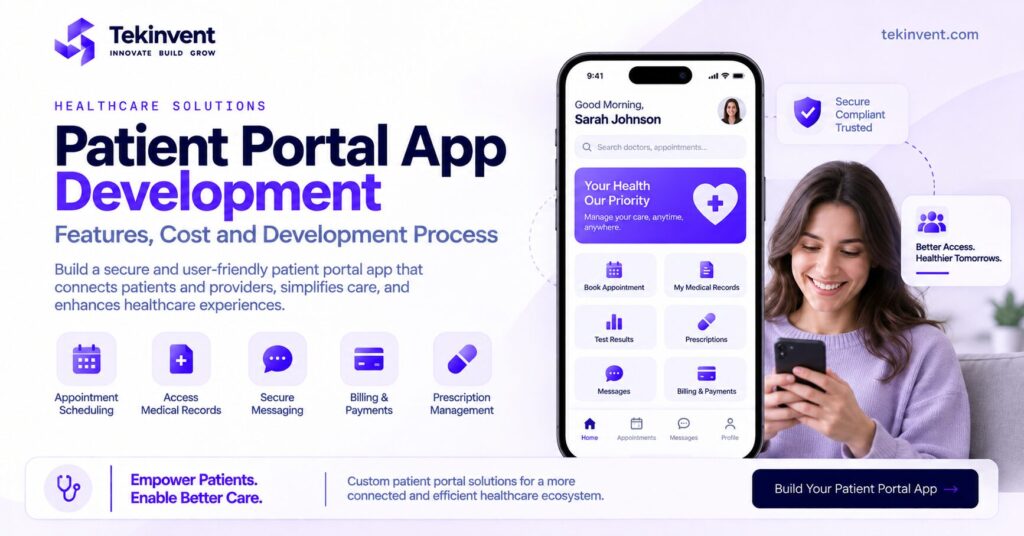
Healthcare organizations are increasingly giving patients more control over how they access and manage their healthcare information. Instead of calling a clinic for every appointment, report, prescription request, or routine question, patients can complete many of these activities through a secure digital portal.
This is where patient portal app development becomes valuable.
A patient portal app can provide patients with secure access to medical records, appointments, test results, prescriptions, billing information, provider communication, and other healthcare services from one interface.
However, building an effective patient portal involves more than creating a login screen and displaying medical information. The application may need to connect with EHR or EMR systems, manage sensitive patient data, support different user roles, maintain reliable authentication, integrate payments and scheduling, and provide an experience simple enough for patients with different levels of technical ability.
This guide explains the essential patient portal features, integrations, security considerations, development process, cost factors, and important decisions healthcare businesses should consider before developing a patient portal.
What Is a Patient Portal App?
A patient portal app is a secure digital platform that allows patients to access selected healthcare information and interact with healthcare providers through a mobile or web application.
Depending on the healthcare organization, a portal may allow patients to view medical records, schedule appointments, access test results, request prescription refills, communicate with healthcare professionals, review bills, make payments, upload documents, or manage profile information.
The portal acts as a digital connection between the patient and the healthcare organization.
A typical patient portal ecosystem may involve:
Patient → Mobile or Web Portal → Secure Backend → EHR or EMR → Healthcare Provider
The actual architecture can be more complex because payment systems, scheduling platforms, identity services, notification systems, telehealth tools, pharmacies, laboratories, and other healthcare systems may also need to connect with the portal.
The goal of patient portal development should therefore be to create a convenient patient experience without creating disconnected workflows for healthcare professionals.
Why Healthcare Providers Need Patient Portals
Healthcare organizations manage a large number of routine patient interactions.
Patients want to know when their next appointment is scheduled. They may need access to a report, want to send a message, update their information, pay a bill, or review instructions provided by their care team.
When every interaction requires a phone call or manual administrative process, staff workload can increase.
A well designed patient portal moves suitable self service activities into a secure digital environment.
Patients can access available information when they need it, while healthcare organizations can reduce some repetitive administrative interactions.
The benefit is not simply convenience.
A portal can create a centralized digital experience where appointments, records, messages, payments, and other patient activities are connected rather than distributed across unrelated systems.
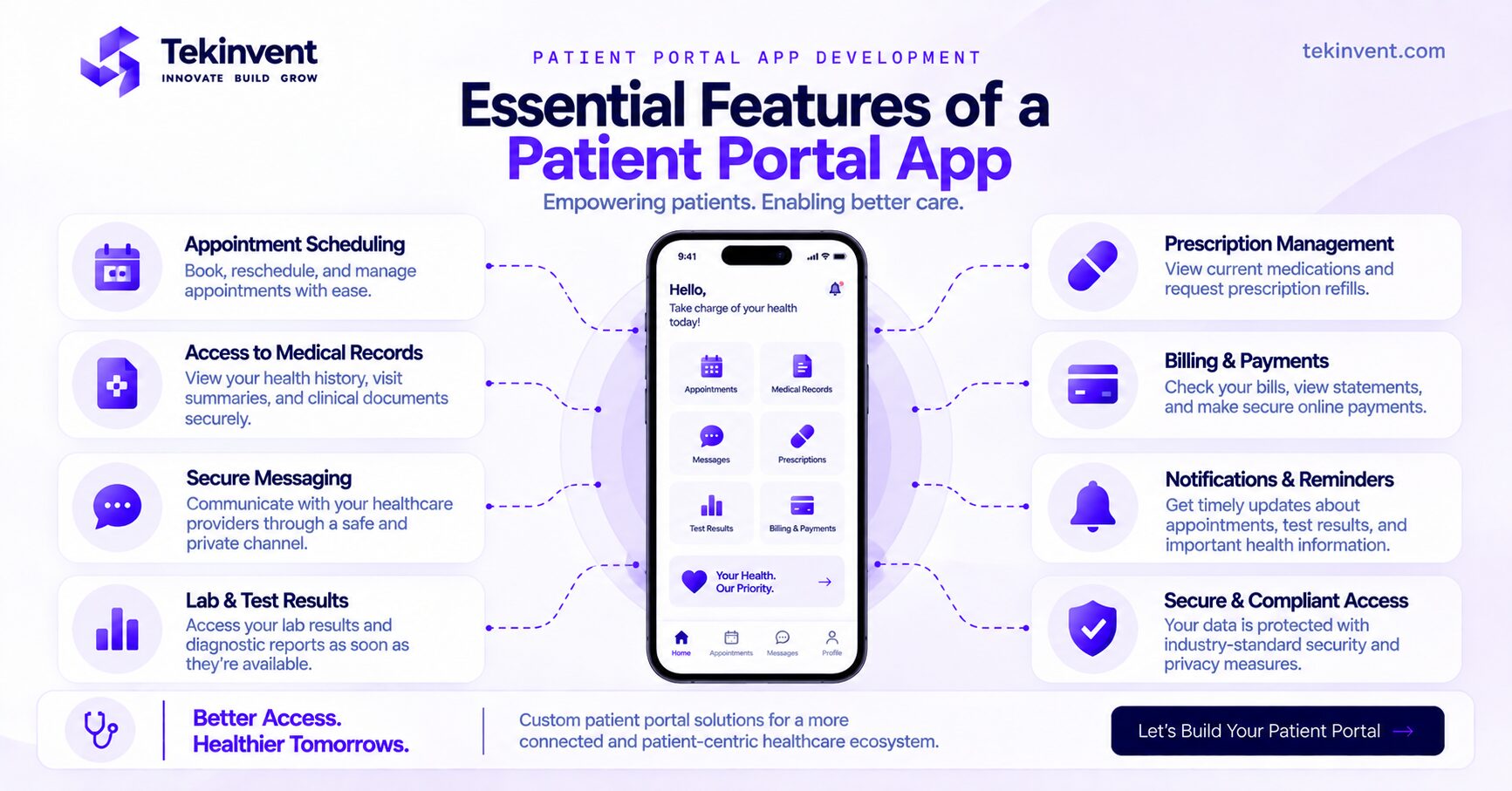
Essential Patient Portal App Features
The right patient portal app features depend on the organization using the platform.
A small specialty clinic will have different requirements from a hospital network serving thousands of patients.
Still, several features are common across modern patient portals.
Secure Registration and Login
Security begins with patient access.
Users need a secure way to create accounts, verify their identity, sign in, recover credentials, and manage sessions.
Depending on project requirements, authentication may include passwords, verification codes, biometric authentication, or multi factor authentication.
The development team should also plan for unusual situations.
What happens if a patient changes their phone number?
How is account recovery handled?
How does the organization prevent one patient from accessing another patient’s information?
These workflows should be designed before development rather than added later.
Patient Profile Management
Patients may need to view and update selected personal information.
This can include contact information, emergency contacts, insurance details, preferred communication methods, and other appropriate profile data.
The portal should clearly distinguish information patients can edit themselves from information controlled by the healthcare organization or clinical system.
Appointment Scheduling
Appointment management is one of the most useful patient portal functions.
Patients may be able to view available appointments, schedule visits, cancel or reschedule appointments, and receive reminders.
The portal may also need to distinguish between different appointment types.
An in person consultation may have different availability and requirements from a virtual appointment.
Appointment functionality should therefore connect properly with the healthcare organization’s scheduling workflow instead of operating as an isolated calendar.
Access to Medical Records
Secure medical record access can give patients greater visibility into their healthcare information.
Depending on the implementation and permissions, patients may be able to view visit summaries, diagnoses, treatment information, medication information, immunization history, or other records made available through the connected healthcare system.
The portal should present this information clearly.
Clinical information can be difficult for ordinary users to understand, so good UX design is particularly important.
Lab and Test Results
Patients may also access available laboratory and diagnostic results through the portal.
A good interface should make it easy to identify when a test was performed, when the result became available, and which information belongs to which test.
Healthcare organizations should determine their own workflows for when and how results become available through the portal.
Prescription Management
A patient portal app may include medication related functionality.
Depending on the system, patients could review current medications, see prescription information, or submit refill requests.
The portal itself should not create disconnected medication records.
Relevant functionality needs to work with the organization’s clinical systems and established workflows.
Secure Patient Provider Messaging
Secure messaging can allow patients and healthcare teams to communicate without relying on ordinary consumer messaging channels.
Patients might use messaging for suitable non emergency questions, appointment related communication, follow up information, or administrative requests.
The system should clearly communicate how messaging is intended to be used.
Patients should not assume that a portal message is appropriate for an emergency simply because messaging is available.
Billing and Online Payments
Healthcare portals can also centralize financial information.
Patients may be able to view balances, review available billing information, download statements, and make online payments.
Payment integration should be designed around both security and usability.
Patients should understand what they are paying for, the amount due, and whether a payment was successfully completed.
Notifications and Reminders
Notifications can keep patients informed about important portal activity.
Examples include appointment reminders, new messages, available results, payment confirmations, and account security notifications.
However, sensitive information should not automatically be exposed through notification previews.
Notification design needs to consider both convenience and privacy.
Telehealth Access
Some patient portals also act as the entry point for virtual consultations.
Patients may schedule a telehealth appointment, receive reminders, complete pre visit steps, and join the consultation through the same platform.
This reduces the need to move patients between several unrelated systems.
TekInvent’s MediBridge+ healthcare project uses a similar connected approach, combining appointment scheduling, telehealth, secure medical record access, notifications, messaging, and provider workflows.
Patient Portal App vs Provider Dashboard
Patients and healthcare professionals should not receive identical interfaces.
A patient primarily needs simple access to their own information and services.
A provider or healthcare employee may need to work across many patients.
The patient portal might focus on appointments, records, messages, prescriptions, results, bills, and personal information.
A provider dashboard may need patient search, scheduling management, communication tools, record access, administrative controls, and other workflow functionality.
Role based access is therefore important.
The development team should determine what each type of user can view, create, update, or manage.
This improves both usability and security.
Patient Portal Integration With EHR and EMR Systems
One of the most important technical requirements in patient portal software development is integration.
A portal becomes significantly less useful when patients see information that is disconnected from the healthcare organization’s main clinical systems.
For example, if a patient changes an appointment in the portal but the provider’s scheduling system does not receive the change, the digital experience creates more problems instead of reducing them.
The same principle applies to medical records and other healthcare information.
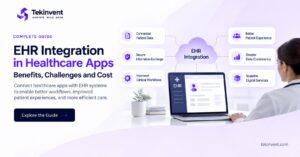
Patient portals may therefore require integration with EHR or EMR systems.
The exact integration depends on the system being used, available APIs, interoperability requirements, data structure, permissions, and the information that needs to move between platforms.
TekInvent’s healthcare development service specifically includes EHR and EMR integration and healthcare API integration as part of its healthcare capabilities.
When developing the portal, teams should determine exactly which information needs to move between systems rather than trying to synchronize everything unnecessarily.
This reduces complexity and makes testing easier.
APIs, FHIR and Patient Portal Development
Modern patient portals often depend heavily on APIs.
APIs can connect the portal with EHR platforms, scheduling systems, payment providers, communication tools, identity systems, and other services.
Healthcare interoperability may also involve standards such as FHIR depending on the systems and use case.
The development team needs to understand not only how to retrieve information but also how permissions, updates, failures, and synchronization should work.
For example, what happens if an EHR API becomes temporarily unavailable?
Should the patient see previously retrieved information?
Should an appointment request be queued?
Should the system display an error?
These details influence the reliability of the final product.
For a deeper discussion of healthcare system connectivity, the dedicated EHR integration article should be internally linked here rather than trying to make this patient portal article rank for EHR integration keywords.
Security in Patient Portal App Development
A patient portal can provide access to highly sensitive healthcare information.
Security therefore needs to influence the architecture from the beginning.
Authentication should establish the identity of users.
Authorization should determine which information each authenticated user can access.
Sensitive information needs appropriate protection during transmission and storage.
The application should also maintain suitable logging and session management.
Backend services, APIs, administrative dashboards, databases, backups, and third party integrations all need to be included in the security model.
Security cannot stop at the mobile application.
A visually secure login screen means little if the backend API exposes information incorrectly.
HIPAA Considerations for Patient Portals
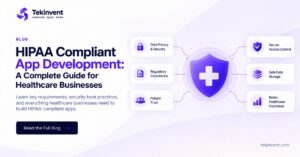
For U.S. healthcare products that fall within HIPAA’s scope, protected health information needs to be handled according to applicable requirements.
Whether and how HIPAA applies depends on the organization, its role, relationships, information being handled, and the specific system.
Businesses should therefore determine their compliance obligations during planning.
Compliance should not be treated as a feature that developers add shortly before launch.
Architecture decisions involving authentication, permissions, encryption, auditability, infrastructure, vendors, backups, and data handling may all be affected.
Instead of making this article compete for another healthcare keyword, link HIPAA compliant app development once here to your dedicated HIPAA guide.
That gives readers a deeper resource while keeping this page focused on patient portal development.
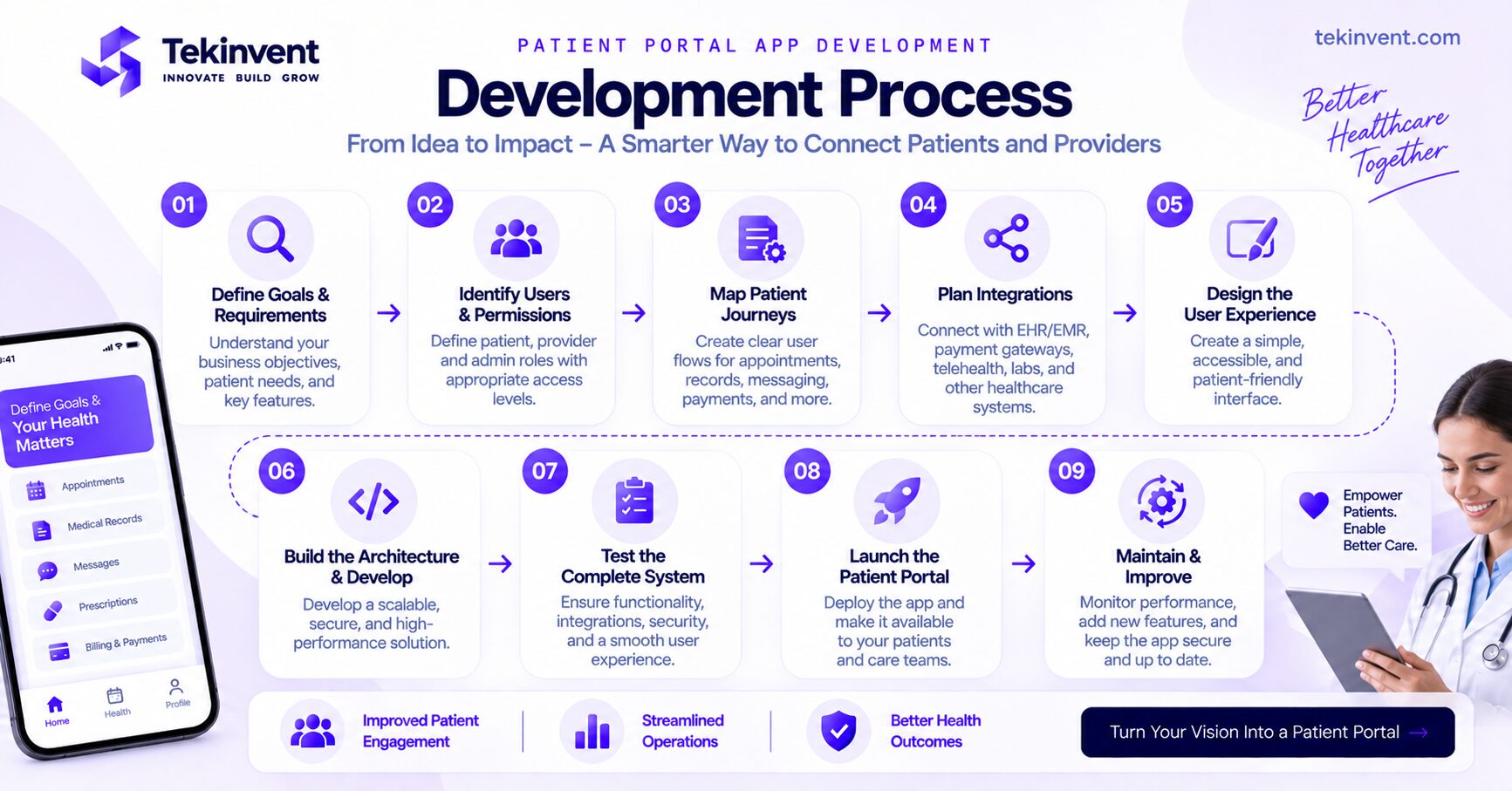
Patient Portal App Development Process
A structured patient portal app development process helps prevent businesses from building disconnected features without understanding the underlying healthcare workflow.
Step 1: Define the Patient Portal Goals
Start by identifying why the organization needs a portal.
Does it primarily need appointment self service?
Does it need secure medical record access?
Is reducing administrative communication a major objective?
Does the organization want one digital entry point for appointments, telehealth, results, billing, and communication?
The answers determine the scope.
Step 2: Identify Users and Permissions
Determine who will use the platform.
This can include patients, healthcare professionals, administrators, support staff, and other authorized users.
Then define exactly what each role can access.
Permission planning should happen before development because it affects application architecture, interface design, and security.
Step 3: Map Patient Journeys
Map the major actions patients need to complete.
For appointment scheduling, for example, the journey may include selecting an appointment type, viewing availability, choosing a time, confirming the appointment, receiving a notification, and later rescheduling if necessary.
Do the same for medical records, messages, payments, results, and other major features.
Step 4: Define Integrations
Identify every external system the portal needs to communicate with.
These may include:
EHR or EMR systems
Scheduling software
Payment gateways
Telehealth technology
Identity providers
Notification services
Laboratory systems
Pharmacy systems
Other healthcare APIs
The development team should understand the documentation and technical limitations of these systems before finalizing the architecture.
Step 5: Design the User Experience
Patient portals need particularly careful UX planning.
The audience can include younger users comfortable with technology as well as older patients who use digital services less frequently.
Navigation should therefore remain clear.
Important actions should be easy to locate.
Medical information should be presented in a structured way.
Error messages should explain what users need to do next.
Accessibility should also be considered throughout the design process.
Step 6: Design the Architecture
Once workflows and integrations are known, the technical architecture can be planned.
This may include mobile applications, a web portal, backend services, databases, APIs, authentication services, provider tools, notifications, integrations, and cloud infrastructure.
The architecture should also consider future scale.
A portal initially serving one clinic may eventually need to support multiple facilities, departments, providers, and larger patient populations.
Step 7: Develop an MVP
A custom patient portal development project does not necessarily need every possible feature in its first release.
The MVP should focus on the most valuable patient workflows.
For example, the first version might include secure login, profile management, appointment scheduling, medical record access, secure messaging, notifications, and core EHR connectivity.
Additional features can be introduced after the fundamental workflows have been validated.
Step 8: Test the Complete System
Patient portal testing should extend beyond individual screens.
Teams should test authentication, permissions, APIs, EHR synchronization, appointment workflows, messaging, payments, notifications, and error scenarios.
Testing should also consider unusual situations.
What happens when an API fails?
What happens when two appointment requests happen simultaneously?
What happens when a user’s session expires while viewing information?
What happens when the portal cannot retrieve updated records?
Testing these scenarios can reveal problems that ordinary interface testing misses.
Step 9: Launch and Maintain the Portal
After deployment, teams should monitor application performance, infrastructure, integrations, errors, security events, and user behavior.
Feedback from real patients and healthcare staff can identify usability problems or missing workflows.
The product can then improve through controlled updates.
How Much Does Patient Portal App Development Cost?
Patient portal development cost varies significantly because not every portal has the same functionality.
A simple portal with authentication, profile management, appointment functionality, basic record access, and limited integration has a very different scope from an enterprise patient platform connected with EHR systems, laboratories, telehealth, billing, pharmacies, and multiple healthcare locations.
For initial planning, a focused patient portal MVP may commonly require a budget in the range of approximately $40,000 to $70,000.
A more advanced portal with custom EHR integration, secure messaging, billing, telehealth, multiple user roles, and broader provider functionality may fall around $70,000 to $150,000+.
Large enterprise healthcare platforms can exceed these ranges considerably.
These are planning estimates rather than fixed quotes. The final cost depends on actual requirements.
What Affects Patient Portal Development Cost?
Several factors have a direct impact on development effort.
Number of Platforms
Building a web portal alone has a different scope from developing web, iOS, and Android experiences.
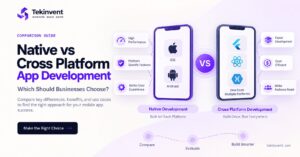
Cross platform development may be appropriate for some projects, while others may require more platform specific development.
EHR and EMR Integration
Integration can represent a significant portion of the project.
Complexity depends on the healthcare system, APIs, information being exchanged, authentication requirements, data mapping, and workflow.
Number of Features
Adding telehealth, payments, prescription workflows, messaging, lab integrations, document management, and advanced administrative functionality increases development effort.
User Roles
A portal serving patients alone is different from a platform containing patient, provider, administrator, billing, and support interfaces.
Each role introduces additional permissions and workflows.
Security Requirements
Healthcare applications require careful security engineering and testing.
Authentication, authorization, encryption, logging, infrastructure configuration, monitoring, and other controls add important development work.
Custom Design
An existing design system can reduce some design effort.
Building a completely custom experience for multiple devices and user groups requires more research, prototyping, and UI work.
Testing
Complex integrations require extensive testing.
A portal that communicates with several external healthcare systems needs more integration and failure scenario testing than a standalone application.
How Long Does Patient Portal Development Take?
Timeline depends on scope just as much as cost.
A focused MVP can potentially take approximately four to six months, while a more advanced portal with several integrations and user roles may require six to nine months or longer.
Discovery and planning should not be skipped to shorten the timeline.
Poor requirements can actually make development longer because developers have to rebuild workflows after implementation begins.
A typical project moves through discovery, UX and UI design, architecture, development, integrations, QA, deployment, and post launch improvement.
Some of these phases can overlap depending on the project structure.
Should You Build a Web Portal or Mobile Patient Portal?
The answer depends on how patients will use the product.
A web portal can provide convenient access without requiring installation.
A mobile patient portal can offer a more persistent experience and make features such as notifications, biometric authentication, camera based document uploads, and frequent access convenient.
Some healthcare organizations may benefit from both.
Rather than choosing based purely on trends, analyze patient behavior.
If users only access the system occasionally to download documents, a web experience may be sufficient.
If the portal supports ongoing communication, frequent appointments, medication related activities, notifications, and regular healthcare interactions, mobile access can become more valuable.
Building a Patient Portal MVP
An MVP should validate the core patient experience without unnecessarily expanding the initial project.
A practical first version could include secure registration and login, patient profiles, appointment scheduling, medical record access, secure messaging, notifications, and the essential healthcare system integration required to support those features.
After launch, usage data and patient feedback can help determine what should come next.
Potential future additions might include telehealth, payments, prescription functionality, laboratory integration, document uploads, insurance features, caregiver access, and more advanced personalization.
An MVP should reduce optional scope, not essential security or compliance work.
Patient Portal Testing Checklist
Before launch, test the product from the perspective of every user role.
A patient should only see their own permitted information.
Providers should only receive access appropriate to their responsibilities.
Authentication and account recovery need to work reliably.
Appointment changes should synchronize correctly.
Messages should reach the correct recipient.
Medical information should map to the correct patient.
Payments should provide clear success or failure responses.
Notifications should not expose unnecessary sensitive information.
External API failures should be handled gracefully.
The portal should also be tested across supported devices, browsers, operating systems, and realistic network conditions.
Maintaining a Patient Portal After Launch
Patient portal software development continues after release.
Mobile operating systems change.
Browsers change.
External APIs evolve.
EHR vendors update systems.
Security vulnerabilities are discovered.
Healthcare organizations modify workflows.
Patients request improvements.
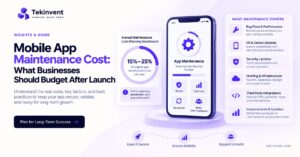
Ongoing maintenance should therefore cover security patches, API updates, infrastructure monitoring, bug fixes, performance optimization, compatibility updates, integration maintenance, and carefully planned new features.
For additional detail about budgeting after launch, internally link mobile app maintenance cost once to your dedicated maintenance article instead of targeting maintenance keywords on this page.
Patient Portal vs Remote Patient Monitoring App
These products can work together, but their primary purposes are different.
A patient portal focuses mainly on patient access and interaction with a healthcare organization.
Its core functionality may include appointments, records, results, messages, prescriptions, payments, and telehealth access.
A remote patient monitoring platform focuses more heavily on collecting health measurements outside healthcare facilities through connected monitoring devices and making appropriate information available to care teams.
Keeping these intents separate is important for SEO strategy.
Your existing RPM article should continue targeting remote monitoring intent, while this article targets patient portal app development.
This prevents the two pages from competing unnecessarily.
How to Choose a Patient Portal Development Partner
A patient portal sits between patients and some of the most important systems used by a healthcare organization.
The development partner therefore needs to understand more than mobile UI development.
Ask how the team approaches healthcare integrations.
Ask how user roles and permissions will be structured.
Ask what happens when the EHR connection fails.
Ask how patient identity and account recovery will work.
Ask how the architecture will scale.
Ask how security testing will be handled.
Ask how future integrations will be added.
The answers reveal whether the team is thinking about the portal as a complete healthcare system or simply another mobile application.
Working with a healthcare app development company can also bring healthcare APIs, EHR or EMR integration, mobile development, testing, and patient focused functionality into the same development process. TekInvent’s current healthcare offering specifically includes custom healthcare applications, EHR or EMR integrations, healthcare API integration, testing, and security focused development.
TekInvent’s MediBridge+ case study is also particularly relevant to patient portal development because the project includes appointment scheduling, telehealth, secure medical record access, messaging, notifications, provider dashboards, prescription management, and healthcare workflows.
Final Thoughts
Patient portal app development is ultimately about creating a secure digital connection between patients and healthcare organizations.
The strongest patient portals do not simply collect as many features as possible.
They make important patient tasks easier.
Patients should be able to access appropriate healthcare information, manage appointments, communicate securely, review results, and complete other supported activities without struggling through complicated workflows.
Healthcare organizations, meanwhile, need a portal that integrates with existing systems instead of creating another isolated application.
That makes planning particularly important.
Before development begins, define the patient journeys, user roles, EHR or EMR integrations, security requirements, portal features, technical architecture, and MVP scope.
Then build around those requirements.
A focused first version with reliable integrations and a simple patient experience can provide a stronger foundation than a feature heavy portal that is difficult for patients and healthcare staff to use.
As the product grows, additional functionality such as telehealth, payments, prescription workflows, laboratory connectivity, caregiver access, and more advanced services can be introduced without changing the core purpose of the portal.

Build Smart with The Right Team.
We bring expertise, technology, and trust you look for in your digital journey.