

Software maintenance is the ongoing work that keeps an application useful, secure, compatible, and dependable after its first release. It includes fixing defects, adapting to changes in devices or connected services, improving performance, and making carefully planned enhancements. A maintenance plan gives this work owners, priorities, and funding so it does not depend on emergency requests or one person’s memory.
Maintenance is not the same as rebuilding a product or adding every feature users request. A team should distinguish work that protects current behavior from work that expands the product. That distinction makes support costs easier to explain and helps leaders decide when to maintain, improve, or replace a system.
The four common types of software maintenance
The traditional categories are corrective, adaptive, perfective, and preventive maintenance. They describe why work is being done; in practice, one change can fit more than one category. For example, updating a library to address a security issue may be preventive, while also correcting a defect that could affect current users.
Corrective maintenance: fix something that is broken
Corrective maintenance addresses defects found after release. A user may be unable to complete checkout, a report may calculate a total incorrectly, or a mobile screen may crash for a specific device. The response depends on how many people are affected, whether there is a workaround, and whether the issue risks data, money, safety, or business continuity.
The first step is to reproduce and understand the problem. A fast code change without a clear cause may hide the symptom while leaving the underlying fault. Teams should capture steps, environment details, logs, and expected behavior, then test the correction against related workflows. After release, monitor whether the issue returns or produces unexpected effects elsewhere.
Not every bug needs an immediate emergency release. A spelling error in an internal screen may wait for a routine update; a defect that exposes another customer’s data requires urgent handling. Establish severity levels so support staff and engineers can make consistent decisions under pressure.
Adaptive maintenance: respond to a changed environment
Adaptive maintenance keeps software working as its environment changes. The operating system may introduce new privacy controls, an external API may retire an endpoint, a cloud provider may change a service, or the organization may adopt a new authentication system. The application’s original code may still behave as designed, yet no longer fit the environment around it.
Track dependencies and vendor notices so changes are not discovered only when a connection fails. For a business-critical integration, know the vendor’s support window, versioning policy, and test environment availability. If a vendor announces an end date, assign an owner and assess the impact before the deadline becomes an outage.
Adaptive work also includes changes in business rules. A tax calculation, approval path, or customer policy can change even when no technology provider changes. Document the source of the requirement and involve the business owner who can confirm the new behavior.
Perfective maintenance: improve existing behavior
Perfective maintenance improves qualities users or operators already rely on. It may make a frequently used screen easier to navigate, reduce a slow report, simplify a staff workflow, or improve accessibility. These changes refine the product without necessarily adding a new business capability.
Prioritize improvements with evidence. Support tickets, usability observations, completion rates, and time spent on a task can show where friction exists. A proposed redesign may sound useful but have little impact if the problem affects few people. Conversely, a small fix to a high-volume workflow can save staff time every day.
Set a measurable goal for the improvement. “Make the dashboard better” does not tell the team what success means. “Reduce the steps staff need to correct a duplicate customer record” gives designers and engineers a behavior to evaluate.
Preventive maintenance: reduce future risk
Preventive maintenance lowers the chance that a foreseeable problem will disrupt the system. Examples include updating dependencies, removing obsolete code, improving automated tests, rotating credentials, reviewing access, and documenting deployment procedures. The work may not produce a visible new feature, but it can reduce the effort and risk of future changes.
Preventive work should be planned rather than treated as spare-time cleanup. A team can reserve capacity for dependency updates, security review, backups, and technical debt. The right amount depends on how often the system changes, how sensitive its data is, and how damaging downtime would be.
Avoid broad rewrites disguised as maintenance. If a component needs major replacement, explain the risk, cost, and alternatives. A narrow refactor tied to a specific defect or repeated change may be easier to justify than a large modernization effort with unclear outcomes.
What a maintenance plan should cover
A maintenance plan connects the software to the people who depend on it. It should explain what is supported, what counts as an incident, who receives reports, how severity is assigned, and how fixes are released. It should also identify ongoing technical work such as backups, monitoring, security updates, and compatibility checks.
Supported systems and dependencies
List the software components and services that the product relies on: programming languages, frameworks, databases, hosting, payment providers, identity services, operating systems, and APIs. Record versions where practical and assign someone to monitor end-of-support notices. Without this inventory, a team may not know whether a failure is inside the application or in a provider it depends on.
Define supported browsers, devices, and operating-system versions based on actual users and business needs. Supporting every old device indefinitely increases testing and compatibility work. Dropping support without notice can exclude important users. Review usage and communicate changes before narrowing support.
Monitoring, backups, and recovery
Monitoring should alert the right person when a critical workflow fails, error rates rise, storage approaches limits, or a scheduled job stops running. Alerts need clear ownership and enough context to investigate. Too many noisy notifications can teach staff to ignore all of them, so tune alerts around conditions that require action.
Backups are useful only if the organization can restore them. Define which data is backed up, how often, how long backups are retained, and who can access them. Test restoration periodically in a safe environment. A backup that has never been restored is an unverified assumption, not a proven recovery plan.
Recovery planning should state acceptable recovery time and data loss for important systems. A small internal tool may tolerate a longer interruption than a service that processes orders around the clock. Those targets influence architecture, cloud services, staffing, and cost; they should be chosen by business owners rather than guessed by engineers.
Security updates and access control
Security maintenance includes reviewing vulnerabilities, updating supported components, rotating secrets, removing unused accounts, and checking access permissions. Changes should be tested before production, especially when they affect authentication or data handling. Keep a record of urgent security fixes and the reason for their priority.
Limit access to what each role needs. Shared administrator accounts make it hard to understand who changed a setting and complicate offboarding. Use individual accounts where possible, document emergency access, and remove access when a person or vendor no longer needs it.
No maintenance checklist guarantees that a system is secure. Risk depends on the data, architecture, vendors, configuration, and how the product is used. For sensitive systems, involve qualified security and compliance professionals and make their recommendations part of the maintenance backlog.
Who is responsible for maintenance?
Maintenance works best when responsibilities are explicit. A business owner sets priorities and acceptable service levels. A product owner explains user impact and approves behavior changes. Engineers diagnose and implement technical fixes. Quality assurance checks that updates work across supported scenarios. Operations or cloud staff monitor deployments and infrastructure. Customer support gathers reports and tells users what is happening.
One person may cover several roles in a small organization, but the work still needs an owner. If no one can approve a workaround, decide whether to pause a release, or communicate an incident, technical staff may be forced to make business decisions without context.
Internal team, vendor, or shared model
An internal team can respond with organizational context and may know the system’s history. It needs enough time and skills to support the stack, along with documentation and backup coverage for staff absences. If the product depends on one engineer who alone can deploy it, that is a continuity risk even if the engineer is highly capable.
A development vendor can provide specialist knowledge or a defined support agreement. Clarify what the agreement includes: incident response, routine updates, monitoring, small changes, hosting, or only time from a developer. Ask who owns source code, cloud accounts, credentials, and documentation, and how work is handed over if the relationship ends.
A shared model can work well when the business owns product decisions and a vendor handles defined technical work. The organization should still retain access to production systems, approve priorities, and understand its recovery process. Outsourcing implementation does not outsource accountability for business risk.
How to prioritize maintenance requests
Prioritization should consider impact, urgency, and risk. A useful triage record includes the affected users, affected workflow, business consequence, scope of the issue, workaround, security or data implications, and the next update time. This gives technical staff a consistent way to compare requests that arrive through different channels.
Use severity levels with examples
Severity labels are only useful if people understand them. A critical incident might mean a production service is unavailable or sensitive data is exposed. A high-priority issue could block a major workflow for many users with no workaround. A routine defect may affect a limited case while the main task remains possible. Your organization should define thresholds to fit its operations.
Do not confuse severity with the seniority or persistence of the person reporting the issue. A clear intake process helps support teams collect facts and route the problem fairly. It also reduces the risk that a low-impact request jumps ahead of a serious but less visible technical issue.
Balance incidents with planned work
If every engineering hour goes to urgent tickets, preventive updates and product improvements will never happen. Reserve capacity for planned maintenance and review it regularly. When incidents consume that capacity, record why and revisit the plan rather than allowing important updates to disappear from view.
Track recurring problems. Several minor incidents caused by the same fragile integration may justify a larger fix. A single emergency patch can restore service, but removing the root cause may prevent repeated disruption. Include time to write down what happened and what the team learned after a significant incident.
Budgeting for software maintenance
There is no universal maintenance percentage that fits every application. A stable website with few integrations has different needs from a payment platform, a mobile app that supports several operating systems, or a legacy system with limited documentation. Budget should reflect actual usage, change frequency, data sensitivity, uptime expectations, dependencies, and the cost of a failure.
Separate recurring operations from engineering work
Recurring operational costs may include cloud hosting, monitoring, backups, certificates, vendor subscriptions, and support tools. Engineering costs may include defect fixes, security updates, compatibility work, performance improvements, and feature changes. Keep the categories visible so a business can tell whether a rising bill comes from usage, provider pricing, or development effort.
Ask vendors to identify included hours, response times, exclusions, and how additional work is approved. A low monthly fee may cover only limited support during business hours. A service with on-call response or strict uptime goals will need different staffing and monitoring arrangements.
Build a budget from a maintenance backlog
Start by listing known work: scheduled dependency updates, unresolved defects, upcoming vendor changes, security findings, operating-system releases, and requested improvements. Estimate each item with the people who understand the system. Mark uncertainty explicitly, especially for old code or integrations that cannot yet be tested.
Then add operating costs and a contingency based on the uncertainty and consequences of failure. Review the plan at a regular cadence, such as during quarterly planning or before a major release. A maintenance budget should change when the product, audience, or service expectations change.
Cost of deferring maintenance
Deferral can appear to save money because no invoice arrives immediately. The trade-off is that unsupported dependencies, missing tests, unpatched vulnerabilities, or undocumented deployments can make future work slower and riskier. When an external provider retires a service, a team may have to replace an integration under time pressure instead of planning the transition.
Not every piece of technical debt needs immediate attention. Compare the likely cost of delay with the cost of fixing it now. If a component is rarely used and isolated, the risk may be low. If it handles payments or customer records and blocks routine updates, postponing work may be expensive. Record the decision and revisit it when conditions change.
Maintenance workflow from report to release
A repeatable workflow helps turn a user report into a controlled update. First, capture the issue and acknowledge receipt. Triage it by impact and urgency, then assign an owner. Reproduce the behavior in a safe environment, identify the cause, and document the proposed change. If the issue is urgent, use an emergency path with appropriate review rather than bypassing all safeguards.
Implement the smallest change that addresses the cause. Test the affected workflow and nearby behavior, review the change, and deploy through a known process. For a high-risk release, use a staged rollout or feature flag where appropriate. After deployment, watch relevant logs and user reports, confirm recovery, and close the loop with affected people.
Keep a record of changes, decisions, and rollback steps. Documentation does not need to be long to be useful; it needs to be accurate and easy to find. A runbook for restarting a failed job or restoring a backup can save time during an incident when people are under pressure.
When to use automation or AI in maintenance
Automation can handle repeatable checks such as running tests, scanning dependencies, validating backups, or deploying through a controlled pipeline. It reduces manual steps but still needs ownership, access controls, and monitoring. A failed automated task can be just as disruptive as a failed manual one if nobody is notified.
AI-assisted tools may help summarize logs, classify support reports, suggest code changes, or surface unusual patterns. Their output should be reviewed by someone who understands the system, especially before changing production code or acting on security alerts. Logs and customer reports can contain sensitive information, so review data-handling terms and remove private details before sending them to an external tool.
Predictive monitoring may be useful when the system produces enough reliable signals to detect meaningful patterns. It should complement clear thresholds and human review, not replace basic observability. A business considering a custom AI workflow can consult an artificial intelligence development company when there is a specific, measurable maintenance problem that existing tools do not address.
Signs your maintenance approach needs attention
Repeated emergency releases, unexplained outages, forgotten vendor notices, or recurring bugs can indicate that maintenance work lacks ownership or planning. Other warning signs include a single person holding deployment access, backups that have not been restored, an integration no one can test, or support agreements that do not explain what happens during an incident.
Use these signals to identify the smallest corrective step. It may be an inventory of dependencies, a documented deployment procedure, a scheduled backup test, or a clearer severity policy. Not every warning means the system needs a full rewrite. Start by measuring the exposure and deciding who can reduce it.
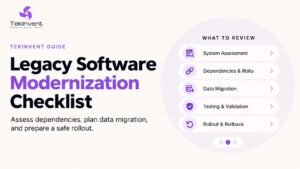
If the product has grown beyond its original architecture, consider whether maintenance can continue safely or whether modernization should be planned. The decision should weigh operating risk, future requirements, migration complexity, and the cost of keeping the current system. TekInvent’s legacy software modernization checklist can help structure that evaluation.
A maintenance checklist for business owners
Before the next release, confirm that someone owns support intake, triage, deployment, and user communication. Check that critical workflows have monitoring, logs, backups, and a tested recovery path. Review dependencies and vendor notices, and make sure the organization can access source code, production accounts, and current documentation.
For budgeting, separate operating fees from engineering work and define what support agreements cover. Keep a prioritized backlog of defects, security tasks, compatibility updates, and improvements. Review the backlog with business stakeholders so technical risk and user impact are considered together.
Well-planned maintenance makes the software’s ongoing cost more understandable. It also gives teams a way to respond to change without treating every issue as an emergency. Start with clear ownership and a realistic view of the system’s dependencies, then fund the work that protects the workflows your organization relies on.

Build Smart with The Right Team.
We bring expertise, technology, and trust you look for in your digital journey.