
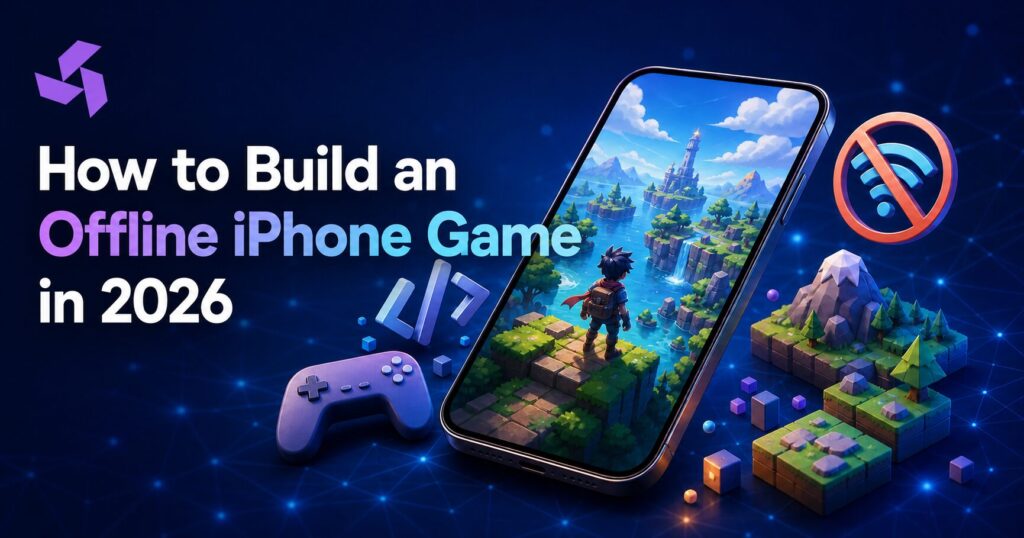
An internet connection should not decide whether someone can enjoy a mobile game.
That sounds obvious, but offline game development is more involved than switching off a server call. A game must load reliably, preserve progress, handle purchases safely, and recover gracefully when the player reconnects. If those systems are added late, the result is often lost progress, a bloated download, or a game that claims to work offline but stops at the first menu.
For founders, the important question is not simply, “Can we make the game work without Wi-Fi?” It is, “Which parts should work offline, which parts genuinely require a connection, and how will the two states stay consistent?”
This guide explains how to build an offline iPhone game around that question—from product planning and local data to testing, monetization, timelines, and cost.
What Is an Offline iPhone Game?
An offline iPhone game lets players access its core gameplay after the initial installation without depending on Wi-Fi or cellular data. It may still use the internet for optional functions such as cloud backup, leaderboards, purchases, advertisements, multiplayer, or downloadable content.
Offline capability is therefore a spectrum:
- Fully offline: All gameplay, progression, and essential content live on the device.
- Offline-first: The core game works locally and synchronizes selected data when a connection returns.
- Partially offline: Only certain levels, modes, or features work without a connection.
For most commercial products, offline-first is the practical choice. Players get dependable access, while the business can still support account recovery, content updates, analytics, and live features.
If you are still studying the player side of this market, TekInvent’s guide to the best offline iPhone games shows how different genres approach no-internet gameplay.
Why Build Offline Capability Into an iPhone Game?
Players do not only lose connectivity on airplanes. They encounter crowded networks, unreliable public Wi-Fi, underground commutes, data limits, and temporary service outages. A game that remains useful in those moments has a larger practical play window.
Offline support can improve:
- Accessibility: People can play in more locations and network conditions.
- Session continuity: A connection drop does not end an active run.
- Perceived performance: Local actions do not wait for a server response.
- Retention potential: The game remains available when competing apps cannot load.
- International reach: The experience is friendlier to users with expensive or inconsistent mobile data.
It can also reduce recurring server traffic. That does not mean the backend disappears; it means the backend is reserved for work that genuinely benefits from being centralized.
Decide What “Offline” Means Before Development
The most expensive offline feature is the one nobody defined.
Before designers or developers estimate the project, write a simple connectivity matrix. List each game function and assign one of three states: available offline, available online only, or available offline with later synchronization.
| Game function | Recommended behavior |
| Core levels and controls | Fully offline |
| Local progress and settings | Fully offline |
| Account sign-in | Optional after first setup |
| Cloud backup | Sync when connected |
| Leaderboards | Online only, with a local pending queue if appropriate |
| Multiplayer | Online only unless local pass-and-play is included |
| In-app purchases | Purchase online; preserve verified entitlements locally |
| New level downloads | Online download, then offline access |
| Ads | Never block core gameplay when unavailable |
| Analytics events | Queue locally and send later |
This exercise prevents a common product failure: marketing the game as offline while placing a mandatory login, ad request, or remote configuration call between the user and the Play button.
Essential Features of an Offline iPhone Game
1. Local progress storage
The game needs a dependable local source of truth for completed levels, inventory, settings, achievements, and checkpoints. Save operations should happen at meaningful moments—not only when the player closes the app, because iOS may suspend or terminate an app without a long shutdown window.
Use versioned save data so future game updates can migrate older player records. Keep multiple recovery points for valuable progress, and avoid rewriting the entire save file after every minor action.
2. A clear synchronization strategy
When the device reconnects, local and remote records may disagree. The product team must decide how conflicts are resolved.
“Latest timestamp wins” is simple, but it can overwrite legitimate progress when device clocks differ or a player uses two devices. For important games, merge individual progress events or compare version numbers instead of replacing the entire record blindly.
The interface should also communicate sync status quietly. Players need to know when their progress is safely backed up, but they should not face an alarming error every time a background request fails.
3. Downloaded assets that remain playable
Levels, audio, textures, and configuration required for an offline session must already exist on the device. A visually impressive level is not offline-ready if it silently requests a remote texture after launch.
The product team has to balance initial download size against later content packs. Apple documents approaches for delivering smaller content immediately and downloading larger assets when needed. For current implementation decisions, developers should review Apple’s latest guidance because resource-delivery APIs and platform support change over time.
4. Network-aware user experience
Do not make players discover offline limitations through a spinner.
When the connection disappears, online-only controls should explain what is unavailable and why. Core gameplay should open immediately. Actions that can be completed later—such as submitting a score—can enter a local queue with a visible pending state.
A thoughtful offline message might say, “Your score is saved and will be added to the leaderboard when you reconnect.” That is far more reassuring than “Network Error 1009.”
5. Safe purchase and entitlement handling
In-app purchases require an online transaction, but previously verified non-consumable content should not become unusable every time the device is offline. The game needs a secure method for persisting entitlements and reconciling them when connectivity returns.
Apple’s StoreKit documentation explains how apps receive signed transaction information and manage purchased products. Purchase, restore, refund, and multi-device scenarios should all be tested before launch.
6. Offline-friendly analytics
Analytics calls should never interrupt gameplay. Record essential events locally, limit the queue size, and submit batches after reconnection. Decide how long queued data remains useful; sending a six-month-old “level started” event may create more noise than insight.
Also keep privacy in the design conversation. Collect what the product team can act on rather than treating every tap as mandatory data.
7. Battery and storage discipline
Offline does not automatically mean efficient. Frequent saves, oversized textures, uncontrolled caches, and unnecessary background processing can still make a game unpleasant to keep installed.
Apple provides a Background Tasks framework for appropriate refresh and processing work, but background execution is scheduled by the system rather than guaranteed on demand. The game must remain correct even when a planned background task does not run immediately.
Choosing the Right Technology
There is no universal engine for every iPhone game. The choice depends on genre, visual complexity, target platforms, team experience, and long-term content plans.
Native iOS development
Swift and Apple frameworks can be a strong fit for a focused 2D experience or a game that relies heavily on Apple-platform capabilities. Native development gives the team close control over platform behavior and can reduce unnecessary cross-platform complexity.
Unity
Unity is commonly considered for 2D and 3D games, particularly when the roadmap includes Android or additional platforms. Its ecosystem can speed up prototyping, asset workflows, and cross-platform delivery, but the team still needs disciplined performance and package-size management.
Unreal Engine
Unreal may suit visually demanding 3D games and teams already comfortable with its production workflow. It can be excessive for a small puzzle game, so engine prestige should never replace a product-based decision.
An experienced iOS app development company should be able to explain not only which technology it recommends, but which costs and constraints that choice introduces.

Offline iPhone Game Development Process
Step 1: Validate the game concept
Define the target player, core loop, session length, genre expectations, and reason the game deserves space on someone’s phone. A clickable prototype or small playable test can reveal whether the central mechanic is enjoyable before the team builds dozens of levels.
Step 2: Create the offline feature matrix
Document every connection-dependent function. Decide what happens at first launch, during a connection loss, after reconnection, and when the same account appears on another device.
Step 3: Build a vertical slice
A vertical slice is a short but representative portion of the finished experience. It should include real controls, art direction, saving, audio, and at least one complete level or loop. For an offline game, test the slice in airplane mode—not only on a developer’s fast network.
Step 4: Establish content and data architecture
Separate durable player data from replaceable cache files. Version the save format. Define content bundles, update behavior, migration rules, encryption needs, and the recovery process for corrupted data.
Step 5: Produce gameplay and content
Once the foundation is stable, the team can add levels, progression, balancing, tutorials, accessibility options, sound, and visual polish. Regular device testing matters because a build that performs well in the editor may behave differently on an older supported iPhone.
Step 6: Add connected services
Introduce accounts, cloud backup, purchases, analytics, remote content, and leaderboards without turning them into blockers for the offline loop. Apple’s StoreKit APIs support in-app purchase workflows, while transaction and entitlement handling still require careful product logic and testing.
Step 7: Test hostile network conditions
Do more than toggle airplane mode at the home screen. Test:
- Losing the network during a level
- Reconnecting during a queued save
- Force-closing immediately after progress changes
- Running out of storage
- Updating from an older save-data version
- Using two devices with different progress
- Launching after a purchase but before a successful sync
- Downloading only part of a content pack
- Changing the device time
- Receiving a call or backgrounding the app during a save
These cases are where “offline support” becomes a trustworthy player experience.
Step 8: Prepare and launch
Create App Store assets, privacy disclosures, age ratings, support content, analytics dashboards, and a release plan. Launch with enough monitoring to identify crashes and progression blockers quickly, while remembering that offline events may arrive later than real-time server events.
TekInvent’s broader mobile app development services cover planning, design, development, testing, and launch when a project needs an end-to-end team.
How Much Does It Cost to Build an Offline iPhone Game?
There is no responsible flat price for “an offline game.” A simple puzzle game and a content-heavy 3D adventure may both work without Wi-Fi, but they have completely different production needs.
The budget is mainly shaped by:
- Number and complexity of game mechanics
- 2D versus 3D art production
- Custom animation, music, and sound design
- Number of levels and amount of original content
- Native iOS versus cross-platform release
- Cloud saves, accounts, purchases, and leaderboards
- Multiplayer or social functionality
- Supported devices and performance targets
- QA coverage and accessibility requirements
- Live operations and post-launch content
As a planning model—not a fixed quote—a small, tightly scoped 2D game may require several months of design and development, while a polished 3D product can require a larger multidisciplinary team and a substantially longer schedule. The fastest way to improve estimate accuracy is to define a vertical slice, then price the remaining content based on evidence from that slice.
Be cautious with estimates that count screens but ignore content production, balancing, device testing, or save-data migration. Those activities often determine whether the finished game feels dependable.

Monetization Models That Work With Offline Play
Paid download
A one-time price is simple for players and naturally compatible with offline use. It works best when the game delivers a complete, clearly positioned experience.
Non-consumable purchases
Players can purchase permanent level packs, characters, or an ad-free upgrade. Apple lists non-consumables as purchases that do not expire or decrease with use. After verification, the game should preserve access appropriately and support restoration.
Consumable purchases
Consumable currency can work, but offline use introduces fraud and reconciliation risks. If the economy matters commercially, server authority may be necessary for purchases and balances even when gameplay remains offline.
Advertising
Ads should be treated as optional connected content, not a dependency for opening the game. Rewarded ads also need a policy for interrupted viewing and reward verification.
Subscription
A subscription may fit a game with continuous content or services, but it is rarely the most natural model for a small self-contained offline title. The value proposition must remain clear after the novelty of launch week.
Common Mistakes to Avoid
- Calling the game offline when it requires a mandatory login
- Saving only when the app exits
- Making advertisements part of the core progression path
- Assuming a stable connection during synchronization
- Keeping all assets in the initial download without a size strategy
- Letting the server overwrite newer local progress
- Adding offline support at the end of development
- Testing only on the newest iPhone
- Hiding online limitations until the player taps a feature
- Collecting queued analytics indefinitely
The broader lesson is simple: offline behavior is part of the product architecture, not a launch-week setting.
Turn an Offline Game Idea Into a Buildable Product
The strongest offline iPhone games do not feel like compromised online games. They feel complete in the moment: fast to start, clear about connected features, and careful with the player’s progress.
Start by defining the core loop and connectivity matrix. Prove them together in a vertical slice. Once saving, reconnection, and content delivery behave correctly under real-world conditions, scaling the game becomes far less risky.
If you are planning an offline game and need help turning the concept into a technical roadmap, explore TekInvent’s iOS app development expertise or contact the team for a project discussion.

Build Smart with The Right Team.
We bring expertise, technology, and trust you look for in your digital journey.