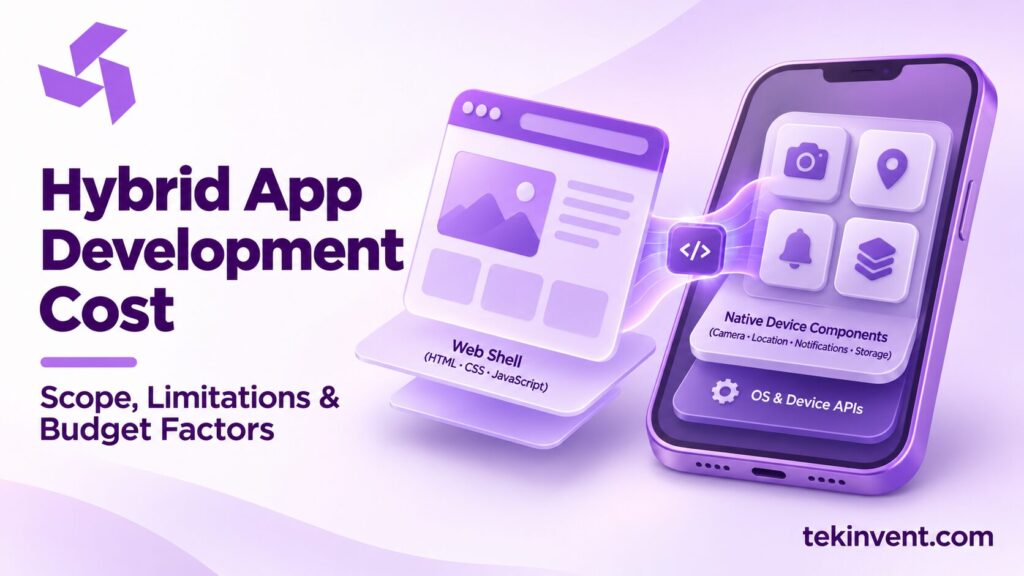
Hybrid app development cost depends on what “hybrid” means in the proposal. Some teams use the term for a web application displayed inside a mobile wrapper; others use it for a cross-platform framework that renders a more app-like experience. These approaches can share code across iOS and Android, but they have different performance limits, access to device features, and testing needs.
Before comparing prices, ask which framework and architecture the team proposes, what the first release must do, and how the app will behave when connectivity or an integration fails. A credible estimate describes those choices in terms of your product rather than assuming that a single codebase automatically makes the project simple.
What “hybrid” can mean
The label is used loosely in project conversations. A WebView approach places web content inside a native app container. It can make sense for a content service, a business tool with modest interaction needs, or a mobile companion to an existing website. The interface may reuse web skills and components, but the team still has to handle app navigation, permissions, packaging, updates, and store requirements.
Other cross-platform approaches compile or render application code for mobile devices and provide bridges to native capabilities. These may offer a more responsive experience for interaction-heavy products, while still requiring platform-specific work for certain features. Framework names alone do not tell you which approach is right; the product’s behavior should lead the choice.
For a closer look at one of these options, TekInvent’s React Native development services page describes that framework as a mobile implementation path. It should be compared against the workflow and device requirements in your own brief, not selected by name alone.
For a product with frequent animations, offline workflows, complex gestures, or extensive use of device hardware, test the most demanding screens early. A prototype can reveal whether the proposed approach meets interaction and performance expectations before the full scope is committed.
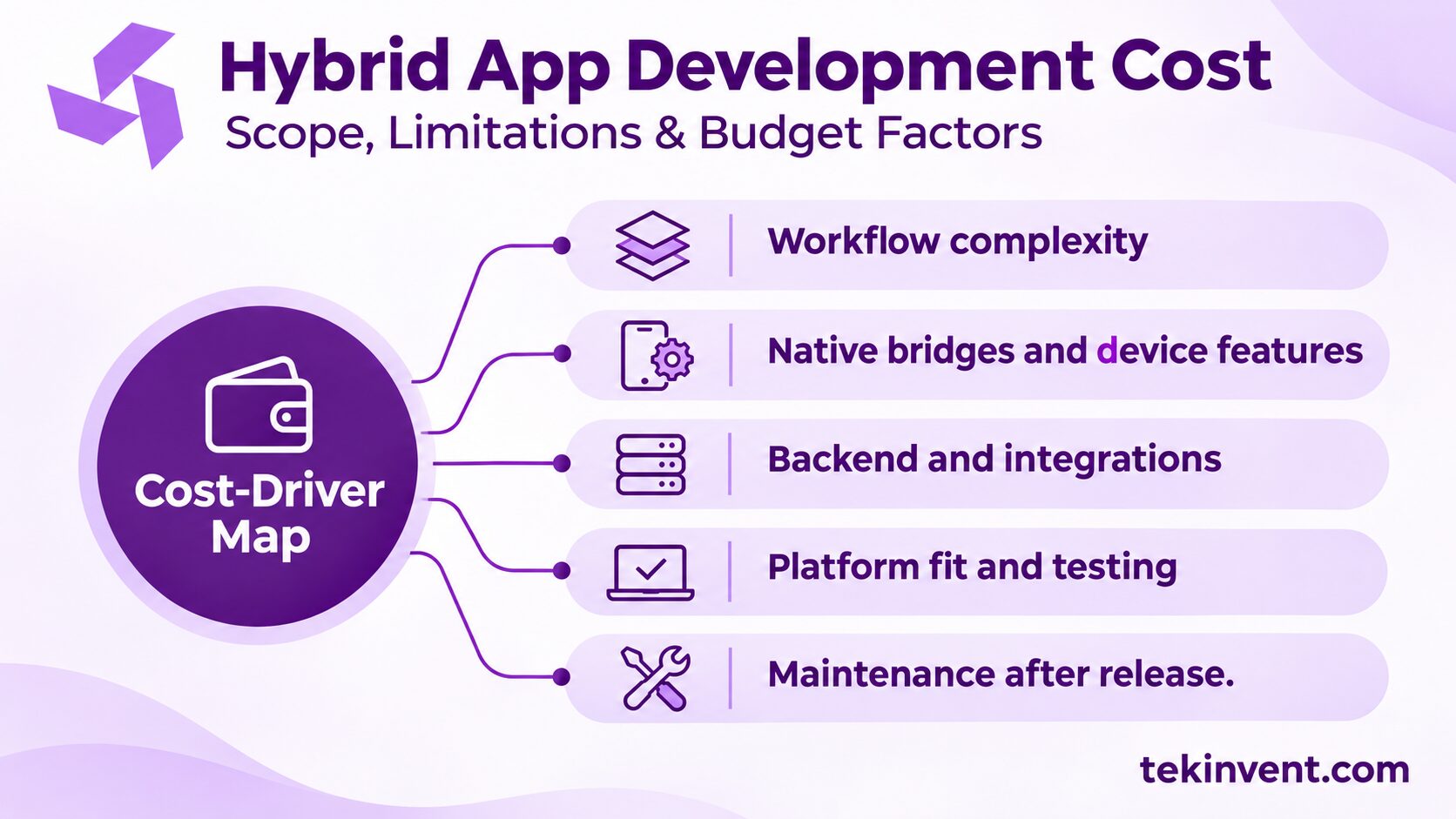
What drives the estimate
Screens are only the visible part
Two apps with the same number of screens can require very different effort. A static information page is relatively straightforward. A checkout screen may include validation, taxes, address handling, payment errors, refunds, and order confirmation. The number of states and rules often matters more than the number of frames in a design file.
Describe the task each user is trying to complete. Include what happens when information is missing, a request fails, a user changes their mind, or an account lacks permission. Those cases turn a visual outline into an implementable scope.
Device features and native bridges
Camera access, location, push notifications, biometrics, Bluetooth, and background tasks may require plugins or custom native code. The work is not limited to connecting a button to a device feature. It can include permission explanations, settings recovery, device compatibility, privacy behavior, and testing on both operating systems.
State the actual requirement. “Use the camera” could mean uploading a profile photo or scanning documents under poor lighting. “Use location” may mean showing nearby stores while a customer browses or recording a worker’s location during an active shift. Each choice carries different user expectations and implementation work.
Backend, accounts, and integrations
A mobile app often depends on a backend for user accounts, business rules, notifications, and shared data. A connection to an existing service may reduce new backend work if that service already exposes the right information and permissions. If not, the project may need API changes, data cleanup, or a new service layer.
Integrations should be priced with their error paths. What should a user see if the payment provider does not respond? Should a booking be saved if a calendar sync fails? Who resolves duplicate records? A proposal that mentions an integration but not its workflow can leave important work unpriced.
If you are weighing a shared mobile build against native apps, a cross platform app development company can help assess the implementation category. Use your own feature requirements to judge whether sharing code helps enough to justify the approach.
User experience and platform fit
One interface can serve both platforms, but the details still need to feel familiar on each. Navigation patterns, keyboard behavior, date selection, permission prompts, and accessibility support should be reviewed on iOS and Android. If your users spend hours in the app or rely on it for time-sensitive work, small usability problems can create substantial support burden.
Design should account for loading, empty, error, and success states—not just the ideal path. If the app must work with intermittent connectivity, define what users can read or change offline and how conflicts are resolved when the device reconnects. Offline support is an architectural requirement, not a checkbox added at the end.
How to choose an approach without overbuilding
Start by ranking requirements into launch needs, useful follow-ups, and speculative features. A restaurant ordering app may need menu browsing, checkout, order status, and a staff workflow to handle orders. Loyalty tiers or personalized recommendations might wait until the core order process works reliably.
Then test a representative workflow on real devices. Choose one that exercises the app’s most important risks: a payment, a camera scan, a map, or a long offline form. A prototype does not need every screen. It should answer whether the chosen approach can deliver the interaction, performance, and access your users need.
There are trade-offs. A WebView-based app can be an efficient option when most of the experience already exists on the web and device behavior is limited. A cross-platform framework may suit an interactive consumer app that needs a shared implementation. Native apps may be easier to justify when platform-specific capabilities dominate the product. The right choice can change if the app’s usage or team changes.
Design conventions also vary between operating systems. The guide to iOS vs. Android app development can help frame why shared code still needs platform-aware interaction decisions.
Treat an architecture change as a product decision
Teams sometimes discover that a WebView experience needs more device behavior than expected, or that a new workflow deserves a more app-like interface. Before switching approaches, identify the specific friction users encounter. Is the screen slow because of rendering, because an API returns too much data, or because the interaction itself is confusing? Changing frameworks will not solve a slow backend or unclear workflow.
If a change is justified, test it on the feature causing the problem and estimate the migration boundary. Some web content may remain useful, while a high-interaction flow moves to a different implementation. A targeted change can preserve prior work; a full rewrite should require a clear reason and an ownership plan for the old code.
Compare proposals by assumptions
Give each vendor the same brief and ask for the same release boundary. Compare the following:
- Framework and any custom native components proposed
- Included platforms, supported device ranges, and accessibility scope
- Backend, admin tools, and third-party services included or excluded
- Design, testing, store submission, and release support
- Ownership of source code, accounts, and build credentials
- How changes and defects are handled after approval
Ask for an estimate by phase or workstream. This makes it easier to see whether a quote excludes design, assumes an existing API, or postpones device testing. If proposals use different technical terms, ask each team to explain how a user completes the same workflow on an actual device.
Avoid selecting a framework solely because a vendor already uses it. Their experience matters, but the decision should also account for product behavior, available in-house skills, and future maintenance. If your company maintains an existing web application, ask what can truly be reused and what would need to be redesigned for mobile.
Test the app approach against real workflows
TekInvent can help turn your user needs and device requirements into a focused technical scope.
Costs after the first release
The launch budget is only one part of the ownership plan. Mobile operating systems change, app-store policies evolve, and dependencies need updates. Your team may also need to respond to user feedback, revise workflows, and keep integrations compatible. Include a named owner for bug triage and routine releases.
Recurring services may include hosting, analytics, maps, messaging, identity verification, and payment processing. Their charges depend on provider and usage. Keep these separate from build estimates and determine who owns the accounts so billing and access do not become tied to a contractor.
Maintenance also depends on architecture. A plugin that covers a standard feature may be quicker initially, but the team should check that it is maintained and supports the app’s needs. Custom native code creates more control, alongside a responsibility to document and maintain that code. Ask how upgrades will be handled before relying on a package for a core workflow.
When reviewing support terms, separate defect fixes from new functionality. A defect means the delivered behavior fails an agreed requirement; a new feature changes what the app is expected to do. Defining that distinction early helps both sides plan maintenance and prevents routine product changes from turning into disputes over the original scope.
Example: a field-service app
Imagine a company wants technicians to view assigned jobs, upload photos, collect customer signatures, and update job status. The simplest version could focus on today’s assignments and reliable status updates. If technicians work in areas with weak service, offline capture and later synchronization could be central from day one. If signatures and photos must be tied to audit records, retention rules and access controls also need definition.
The cost difference between those two versions is not explained by the screen count. It comes from offline behavior, data handling, device testing, and the back-office process for resolving conflicts. Defining the operating conditions before implementation helps the team choose an architecture that fits the work.
Make the estimate actionable
Prepare a brief with user roles, the first release’s main tasks, required device capabilities, current systems, and any known compliance or data-retention rules. Include designs or API documentation if available. Label uncertain items instead of presenting assumptions as settled requirements.
A custom software development company can help assess the mobile experience alongside backend and integration needs. For an estimate, request explicit deliverables, exclusions, and decision points. A clear scope lets you compare proposals and decide which features deserve funding now.

Build Smart with The Right Team.
We bring expertise, technology, and trust you look for in your digital journey.