
A useful food ordering website brief explains how customers order and how the restaurant fulfills those orders. It should describe the menu, service options, business rules, integrations, staff workflow, and launch expectations. Without those details, a development proposal may cover a visually polished website while leaving the kitchen and order management process unclear.
Start with the problem the website should solve. A restaurant may want to reduce phone orders, make pickup easier, or support direct ordering across multiple locations. Define the outcome and customer group, then describe the complete workflow the website needs to support.
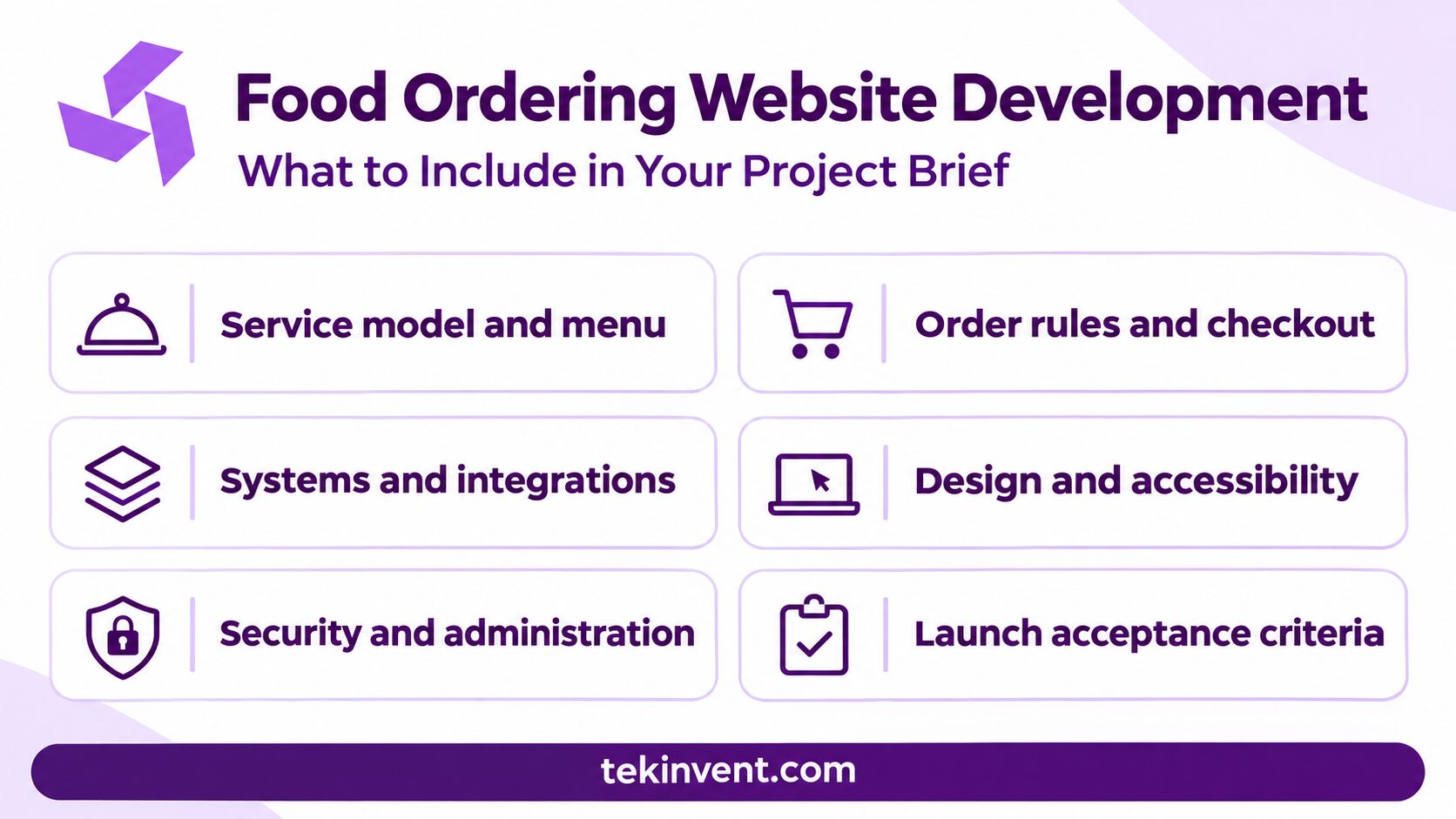
1. Describe the business and service model
Include the restaurant type, number of locations, service hours, target customers, and order methods. Specify whether the website supports pickup, delivery, dine-in ordering, catering, or scheduled orders. For each method, state which locations and hours apply.
Explain who fulfills delivery orders. If the restaurant uses its own drivers, the project may require dispatch and delivery status. If an external service fulfills them, identify the provider and the integration expected. Pickup still needs a preparation estimate, arrival instructions, and a clear handoff process.
Note any differences among locations, such as menus, pricing, taxes, hours, or delivery boundaries. These differences should be explicit before the design phase.
2. Explain the menu structure
Provide a sample menu with categories, item names, descriptions, prices, photos, modifiers, and availability rules. Include examples of required choices, optional add-ons, combos, and items that vary by time or location. A sample helps the team understand the complexity better than a general request for “menu management.”
Decide who will provide and maintain content. If the restaurant expects the development partner to upload menu items, say so and estimate the volume. If staff will manage changes, specify the controls they need and who will be trained.
Include dietary or allergen information only if the restaurant can maintain it accurately. Decide who approves those details and how corrections are made. The website should not imply that information is verified if the business has no review process.
3. Define ordering rules and customer steps
Map the path from landing on the site through order confirmation. State whether customers can order as guests, create accounts, save favorites, or reorder. Include cart rules, item substitutions, coupon limits, tips, service charges, taxes, cancellation rules, and order changes.
Be specific about order timing. Can customers schedule an order in advance? How far ahead? What happens when the kitchen is at capacity? Who can pause online ordering or mark a menu item unavailable?
Describe the information customers receive at each stage: order received, restaurant accepted, ready for pickup, driver assigned, or completed. Avoid promising exact timing unless the restaurant has a way to keep those estimates accurate.
4. Detail checkout and payments
List payment methods and identify the intended payment provider. Explain when the payment is authorized or captured, how refunds work, and how staff handle a failed transaction or duplicate submission. Include receipts and any tax or fee display requirements.
Confirm whether gift cards, loyalty points, or promotions need to work online. Provide examples of discount rules and whether offers can combine. Special pricing rules should be written out; they can affect both implementation and testing.
Ask the payment provider what account setup and review are required. The restaurant should understand transaction fees and settlement timing as operating costs outside the website build estimate.
5. List the systems and integrations
Identify the point-of-sale (POS), order management, inventory, payment, delivery, email, SMS, and analytics systems the site needs to use. For each, explain what data should move, in which direction, and which system owns the record.
Provide vendor names and confirm whether the restaurant has access to documentation, credentials, and a test environment. State if a vendor needs to approve the connection. An integration should include failure handling, not just the normal data exchange.
If an integration is optional for the first release, say so. A manual workflow can sometimes support a pilot, but the brief should include who performs it and how long it is expected to remain workable.
6. Include design, accessibility, and content needs
Provide brand assets, examples of existing customer communications, and the preferred tone. Explain whether the website must follow an existing design system or can use a new visual direction. Specify which devices and browsers matter to the customer base.
Describe accessibility needs and language support. The order flow should be usable with keyboard navigation and assistive technology, with readable text, clear labels, and useful error messages. If the site will support more than one language, include translation and review for menus, policies, checkout, and support content.
List who supplies photos, descriptions, legal policies, and service information. Content preparation often needs separate time and approval from coding.
7. Clarify security and administration
The website may handle account details, addresses, order history, and payment flows. Describe which staff can view customer records, issue refunds, edit menus, or change order status. Define account security and recovery expectations.
Use a payment provider’s supported checkout flow and avoid storing payment card data directly unless the business has appropriate technical and compliance expertise. Determine what customer data is necessary and how long it should be retained. Ask qualified advisors about privacy and legal obligations for the restaurant’s specific use.
Explain what the restaurant needs from an admin console: staff roles, menu editing, location settings, order search, refunds, reports, and service controls. Include an audit history for important actions if managers need to review them.
8. Set launch and acceptance criteria
Define what must be true before the website goes live. For example, a test order should reach the right location, payment and refunds should behave as expected, menu changes should appear correctly, and staff should know how to pause orders.
Include testing for failed payments, unavailable items, duplicate orders, delivery boundaries, cancellations, and after-hours messages. State who approves the design and content, who provides test accounts, and how quickly stakeholders will review work.
Clarify launch support, training, hosting, backups, monitoring, maintenance, and response to critical issues. A launch date without those responsibilities can leave the restaurant uncertain about who handles problems.
Project brief template
You can organize the brief using these headings:
- Business goal and current ordering problem
- Locations, hours, and service methods
- Customer types and ordering journey
- Menu structure and update process
- Payment, refund, promotion, and cancellation rules
- POS, delivery, messaging, and other integrations
- Brand, accessibility, language, and content needs
- Admin roles, security, and data handling
- Test scenarios and acceptance criteria
- Launch support, training, and ongoing ownership
Attach a sample menu, a workflow diagram, current POS or delivery system details, and examples of customer messages if available. Mark unknowns as assumptions rather than leaving them unstated.
For organizations planning a broader site experience, TekInvent’s web development services can help with the website foundation. A web development company can use the brief to clarify the ordering workflow and technical scope.
Prepare a Better Online Ordering Brief
TekInvent can help turn restaurant requirements into a clear website scope.
Add examples that remove ambiguity
Concrete examples help a development team understand business rules. Include a sample item with required and optional modifiers, a promotion that should apply, and an order that falls outside a delivery zone. If the menu changes by location, show two examples and explain how customers select a store.
Write acceptance criteria for the most important tasks. For example: a customer can choose a location, see its available menu, place an order for pickup, receive confirmation, and get a clear update when the restaurant marks it ready. Staff can pause ordering, change availability, and find the order without searching several systems.
Add a separate list of error cases: payment declined, duplicate submission, item unavailable, kitchen closed, customer changes the pickup time, and an integration is temporarily down. Decide what the customer sees and who on the restaurant team acts next. This information turns a vague request for “easy ordering” into something the team can design and verify.
Define the website’s success measures
Choose a few measures that connect to the reason for the project. If the restaurant wants to reduce phone orders, measure the share of orders completed online and staff time spent correcting them. If the goal is fewer abandoned baskets, identify where customers leave and gather feedback about the unclear step.
Set a baseline before launch and agree who will review the results. Avoid treating more website visits as proof that the ordering process improved. The team should know whether customers can complete orders and whether staff can fulfill them with fewer workarounds.
Separate launch needs from future improvements
The brief can include a roadmap without requiring every idea in the initial estimate. Mark each requirement as necessary for launch, planned after the first release, or under consideration. A rewards program, gift card migration, catering menu, or subscription offer may be useful later but can complicate the first order workflow.
Ask the development team to identify dependencies between phases. For instance, a future loyalty feature may depend on customer accounts and order history. Planning the data structure early can prevent avoidable rework without forcing the entire rewards system into the first launch.
Align policies with the order experience
The website should present delivery minimums, pickup instructions, cancellation rules, and refund expectations before customers need support. Include the exact policy text or identify who will approve it. If the restaurant has different rules for catering or scheduled orders, show how customers will see the distinction.
Also clarify what happens when the restaurant cannot fulfill an order. Decide whether staff can suggest a replacement, cancel one item, or refund the full purchase, and who contacts the customer. These policies affect both the interface and staff permissions.
Use the brief to compare proposals
Give each development team the same brief and ask them to list inclusions, exclusions, dependencies, and recurring vendor fees. Compare how each proposal handles the restaurant’s actual menu rules, integrations, testing, and staff tools—not only how the homepage will look.
A clear brief can reduce misinterpretation and expose decisions the business still needs to make. It does not need to answer every technical question. It needs to describe how the restaurant serves customers and what the website must do to support that service.

Build Smart with The Right Team.
We bring expertise, technology, and trust you look for in your digital journey.