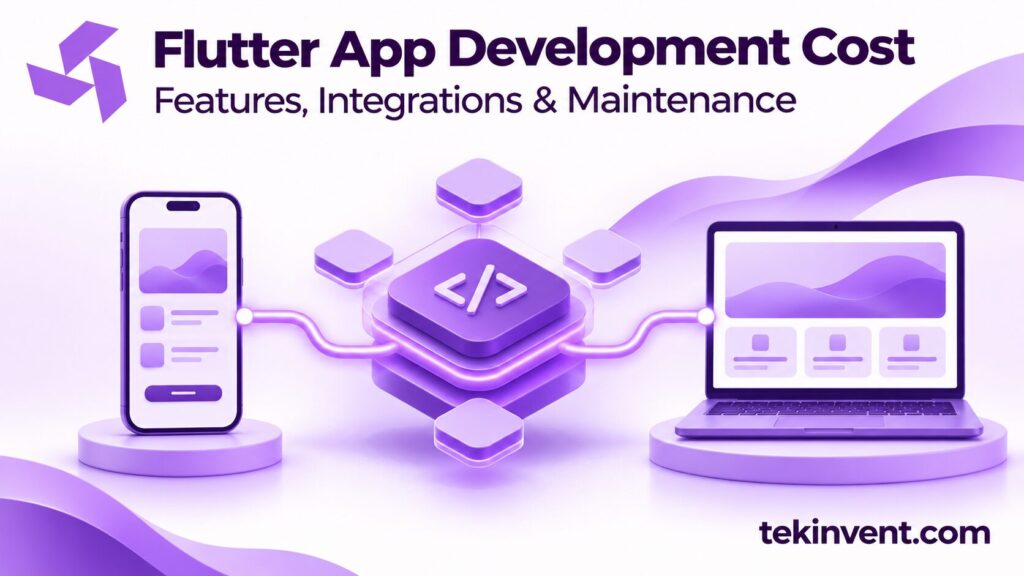
Flutter app development cost depends on what the product must do, which platforms it must support, and how it connects to devices and services. Flutter can let a team build interfaces for multiple platforms from a shared codebase, but it does not remove the need to plan platform-specific behavior, integrations, testing, or ongoing maintenance.
The right estimate starts with requirements, not a generic price per screen. Define user roles, core workflows, data sources, device features, and launch expectations. Then ask for a breakdown that separates application work from backend services and third-party costs.
What Flutter changes—and what it does not
Flutter is a UI toolkit for building applications across platforms using Dart. A shared codebase can reduce duplicated interface work when the app’s features are similar across iOS and Android. The product still needs platform setup, release configuration, testing on target devices, and attention to differences in permissions, notifications, and user expectations.
Some features depend on native platform APIs or plugins. Camera access, Bluetooth, location, health data, background tasks, and payment flows can require extra integration and testing. If a required plugin does not cover the behavior the product needs, the team may need platform-specific code and ongoing maintenance for that bridge.
Flutter is also not the backend. Authentication, APIs, databases, administrative tools, notifications, and data processing may require separate services. Include these in the estimate if the product needs them.
Scope the product before estimating
List the main users and the tasks each needs to complete. A customer app, staff console, and administrator dashboard may share data but require different interfaces and permissions. Define the primary workflow and the exception cases before adding secondary features.
For example, a booking app may need search, availability, appointment selection, payment, confirmation, changes, and cancellation. A prototype that shows available slots is not a complete booking product unless it can reserve a slot reliably and handle conflicts.
Prioritize the first release. Group requirements into launch-critical, useful later, and out of scope. A smaller complete workflow can be easier to test and maintain than a broad list of partially connected features.
Main cost drivers
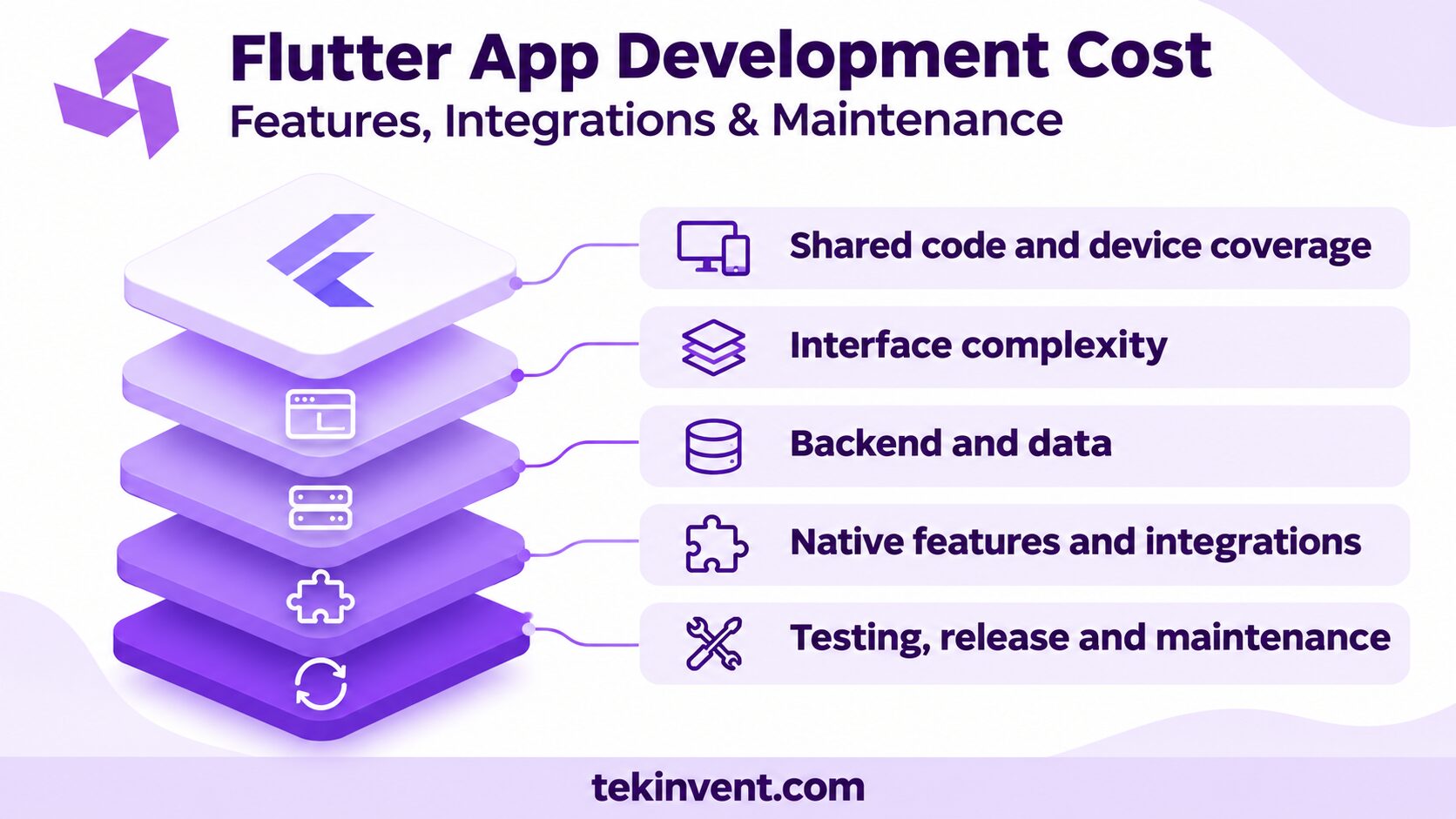
Number of platforms and device coverage
Supporting iOS and Android still involves build configuration, store submissions, platform permissions, device testing, and release management. Tablets, older operating system versions, foldable screens, or specialized devices may add testing needs. Specify the minimum supported versions and devices that matter to users.
Interface complexity
The number of screens matters less than the behavior they contain. Search, dynamic forms, offline states, real-time updates, custom animations, and accessibility support can require different amounts of work. Reusable components can help, but complex states still need to be designed and tested.
Backend and data
If the app needs accounts, shared records, search, synchronization, payments, or staff administration, include backend work. Clarify where data is stored, who can change it, and how the mobile app behaves when the connection is slow or unavailable.
Integrations and native capabilities
External services such as maps, payment providers, identity tools, messaging, analytics, or enterprise APIs add implementation and testing. Native capabilities such as Bluetooth or background location may need platform-specific work. Confirm that the required plugin or API supports the use case and maintenance expectations.
Special capabilities
Offline access, real-time collaboration, media processing, and complex notifications can affect architecture and quality assurance. AI features also require separate scope for model or service selection, data handling, evaluation, and monitoring. If the product depends on that capability, an artificial intelligence development company can help assess the AI portion independently from the Flutter interface.
Testing is part of the cost
Testing should cover more than whether a screen opens. Validate the main workflow on supported devices, integration behavior, permissions, network changes, account recovery, and app upgrades. A failure that occurs only on one operating system can affect users even when most code is shared.
The team can use unit and widget tests for focused logic and interface components, plus integration tests for complete user flows. Test native dialogs or platform interactions on devices where they matter. Include accessibility checks and realistic data states in the release process.
Define who provides test accounts, devices, sample data, and acceptance decisions. If business stakeholders review builds late, defects and scope changes can push delivery even when development work is progressing.
How to compare estimates
Ask vendors to separate discovery, design, Flutter implementation, backend services, native integrations, testing, deployment, and maintenance. State the platforms, supported versions, integrations, admin tools, and launch support included.
Questions to include:
- Which features use shared Flutter code and which need native work?
- Which plugins or third-party services are assumed?
- What backend and admin capabilities are included?
- What devices and operating system versions will be tested?
- How will offline states, retries, and sync conflicts be handled?
- Who owns the source code, accounts, and store listings?
- What warranty, maintenance, and update support is included?
- Which third-party fees continue after launch?
Compare proposals on the same workflow and assumptions. If one estimate includes backend development and another only covers mobile screens, the totals do not describe equivalent work. Ask each team to list unknowns and what would cause a change request.
Plan beyond the first release
After launch, the product may need updates for operating system changes, plugin upgrades, security fixes, new devices, API changes, and user feedback. Budget for maintenance and assign someone to prioritize incoming work. Shared code can simplify some updates, but it does not eliminate platform testing or dependency management.
Review third-party services for renewal terms, usage limits, and data handling. Track which services are critical to login, payments, maps, and notifications. If one becomes unavailable, the team should know whether the app can fail gracefully or needs an alternative.
Monitor crashes, performance, and support requests. Use those signals to find problems, but avoid collecting personal or sensitive data in logs without review. Establish a process to assess and release fixes.
Keep scope predictable
To control initial effort, choose a core workflow and defer optional features until the product has been tested. Reuse established components where they meet the design and accessibility requirements. Confirm platform-specific behavior early, especially for hardware, background processing, and notifications.
Do not cut integration tests or support planning to reduce an estimate. Instead, reduce the number of integrations or platform requirements in the first release, and document the trade-off. Make sure the product still performs a complete job for its intended user.
TekInvent’s Flutter app development services may be relevant when evaluating a cross-platform build. Bring the workflow, device needs, and integration list to a mobile app development company so the estimate reflects the whole product rather than the UI alone.
Estimate a feature from user action to support
Take one feature and trace every step it requires. A booking flow may collect a request in Flutter, send it to a backend, check availability, reserve a slot, notify the user, and expose the booking to staff. Each part has a different owner and failure mode. If the estimate lists only “booking screens,” ask whether the backend rules and confirmation path are included.
For each integration, identify the vendor, authentication method, data format, error responses, and test environment. Decide what the app should display when the connection times out and whether the user can retry safely. These details are more helpful for cost planning than counting screens because they capture the work needed to make the feature dependable.
Decide when platform-specific work is justified
Some products benefit from a shared interface across iOS and Android; others need different behavior to match platform conventions or device capabilities. Describe the user need behind a native feature before selecting an implementation. A plugin may be appropriate when it is maintained, supports the required versions, and exposes the behavior the app needs. If not, the team should estimate native implementation and future updates separately.
Ask for a proof of concept when an unfamiliar plugin or hardware feature carries significant risk. The test should answer a specific question, such as whether a device can reconnect after leaving range or whether a background task behaves as required. Resolve that uncertainty before building surrounding workflows.
Include store release work and ownership
The launch plan should cover developer accounts, signing credentials, app privacy disclosures, store assets, review preparation, staged rollout, and monitoring. Clarify who supplies the account and content and who will respond if the store review requests changes. The organization should retain administrative control over its listings and production services.
For maintenance, keep a dependency list and record why important plugins were selected. Agree who reviews updates, tests supported devices, and handles urgent fixes. A cross-platform project can share much of its application logic, but the team still needs to verify that releases work on each target platform.
Estimate the Full Flutter App Scope
TekInvent can help map features, integrations, platform behavior, and ongoing support.
Reduce uncertainty before the full build
When an important feature depends on a plugin, device, or external service the team has not used, scope a short technical investigation. The result should answer a concrete question and document its implications. For example, test whether a hardware connection can reconnect reliably or whether a vendor API returns the data the product needs.
This work is especially useful when a failure would force a major architecture change. It can reveal whether the feature is feasible on both platforms, which permissions users must grant, and what happens when the app is backgrounded. Keep the investigation narrow; it should reduce a specific risk rather than become an open-ended prototype.
Agree on who signs off on the finding and how it changes the estimate. If the feature proves more difficult than expected, the team can decide to defer it, choose another approach, or revise the first release before substantial implementation is complete.
Price the product the team will maintain
Flutter app development cost is easier to understand when the estimate distinguishes shared interface work from backend, native integration, testing, and operations. Ask what the team will deliver on each platform and what the organization must own after release.
A focused app with clear platform requirements is easier to estimate than one with undefined integrations and edge cases. Resolve those questions through discovery, then choose a first release that users can complete and the business can support.

Build Smart with The Right Team.
We bring expertise, technology, and trust you look for in your digital journey.