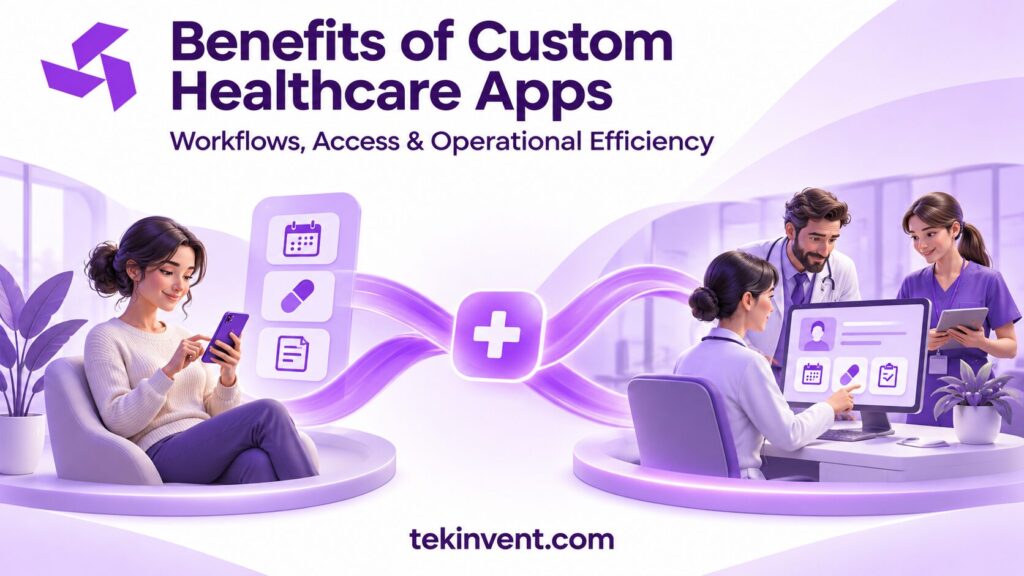
A custom healthcare app can be useful when standard tools do not fit a provider’s workflow, systems, or patient needs. The value comes from solving a defined problem—such as repeated data entry, unclear follow-up, or hard-to-access services—not from making a workflow digital for its own sake.
Customization also brings responsibility. The organization must define requirements, protect information, maintain integrations, and support users after launch. Before choosing a custom build, compare the expected benefit with the cost and work of operating the product.
Fit the app to the workflow people actually use
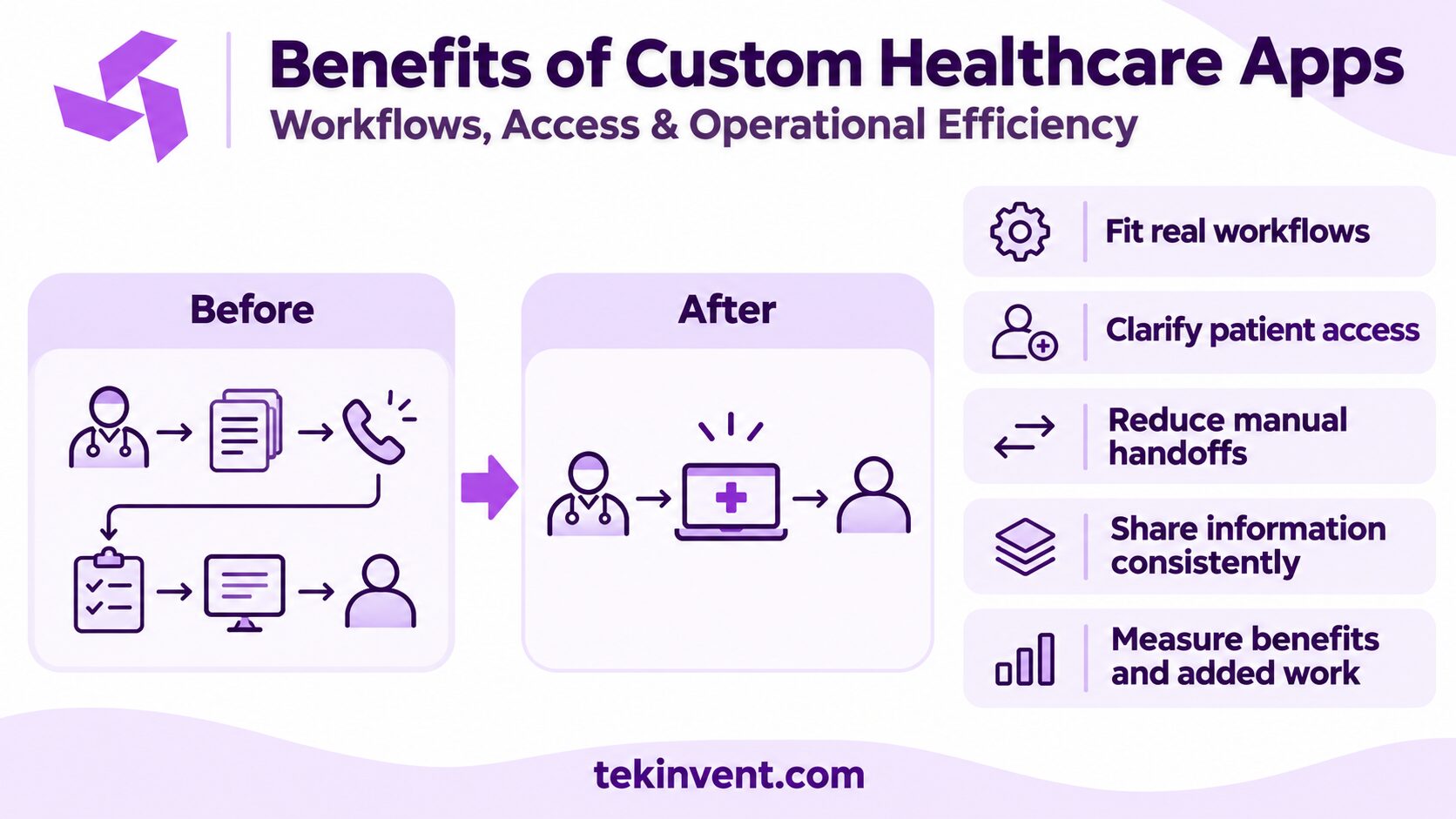
Generic software often asks organizations to adapt their process to a fixed set of screens and rules. That can be suitable when the workflow is common and the product handles it well. A custom app may help when a provider has a distinct sequence of tasks, roles, or handoffs that a standard product does not support.
Consider a referral workflow that moves between intake, review, scheduling, and follow-up. If staff track those steps through separate spreadsheets and messages, a custom interface could bring the status and next action into one place. But the team first needs to understand why the current process is fragmented. If the main issue is unclear ownership, new software alone will not resolve it.
Map the process with the people who do the work. Identify unnecessary steps, approval points, exception cases, and systems where information is already stored. Then decide which parts need custom behavior and which can use existing tools or manual steps.
Give patients clearer access to tasks and information
A well-planned app can make common tasks easier to find and complete. Depending on the provider’s goals, it may let patients request appointments, complete forms, review instructions, ask a non-urgent question, or track a follow-up step. Clear status information can reduce uncertainty when patients know whether a request was received and what happens next.
Access is more than availability in an app store. Patients need usable account setup, readable content, language support, accessible controls, and a way to recover when something goes wrong. A patient without a compatible device or reliable connectivity may need an alternative path. Design for the service population rather than assuming every user will have the same tools.
Make it clear when a message is not monitored for emergencies and when a response should be expected. If staff will review requests, assign a queue owner and coverage schedule. A message feature without an operating process can create more confusion than it removes.
Reduce avoidable manual handoffs
Repeated data entry can consume staff time and increase the chance of inconsistencies. An app that sends the right information to the right system may reduce some handoffs. For example, a completed intake form could populate a review queue rather than requiring staff to copy each answer from an email attachment.
The benefit depends on integration and workflow design. If staff still need to re-enter the same details, the app has moved the work rather than removed it. Identify the authoritative record, decide which fields can be updated, and define how conflicts or missing information are handled.
Measure the current process before launch. Track a practical baseline such as time spent correcting forms, number of incomplete submissions, or repeated status calls. After a pilot, compare the same measure. Avoid assuming that more app activity automatically means less work or better service.
Connect information across teams more consistently
Custom apps can give authorized users a shared view of task status, instructions, or patient-submitted information. This can help teams coordinate when work crosses departments. The product should show when information was last updated and who is responsible for the next step.
Shared visibility must come with appropriate access controls. Not every user needs to see every detail. Define roles and permissions based on job responsibilities, and review them when staff responsibilities change. Keep audit records for sensitive actions where required by the organization’s security program.
Integration planning is central to this benefit. List the systems the app will connect to, the fields exchanged, and how failures appear to staff. A connection that silently fails can create a false sense that a task is complete. Test duplicates, delayed updates, and recovery paths before relying on the app for daily coordination.
Find the Right Use for a Custom Healthcare App
TekInvent can help assess workflows, integrations, and the right first release for your team.
Use data to find service bottlenecks
An app can produce useful operational signals if the organization decides what it needs to learn. A care team might review how often patients complete a form before a visit or where they stop in a scheduling request. An administrator might examine how long a request waits for review.
Start with a small measurement plan tied to the project goal. Define each event in plain language and avoid collecting sensitive details without a clear purpose. Analytics should answer a question, such as “Which step has the most incomplete submissions?” rather than accumulate data simply because tracking is available.
Use numbers with direct feedback. A high completion rate may hide that patients needed staff help at every step. Interviews, support tickets, and staff observation can explain what a metric does not. Review findings with the people responsible for the workflow and decide what action follows.
Tailor the experience to a particular service model
Providers may need different patient and staff flows for specialties, locations, or care settings. A custom product can organize tasks around the service model—for example, different intake fields for distinct appointment types or role-based work queues for separate teams.
That flexibility should be controlled. Too many one-off screens can make the product harder to maintain and train on. Prefer shared components and clear configuration rules where workflows are genuinely similar. Reserve custom behavior for differences that affect the user’s task, clinical context, or required information.
If the organization serves patients with different language preferences, consider the full content lifecycle. Translation needs clinical review, update ownership, and testing on real screens. Making a language available on the home screen while leaving critical instructions untranslated creates an incomplete experience.
Where custom healthcare apps can fall short
Custom development is not always the best choice. An established product may already support the workflow at lower cost and with less operational burden. A custom app can be a poor fit if requirements keep changing, stakeholders cannot agree on the process, or no team can own support after launch.
Integration complexity can also limit the expected benefit. A provider may want a unified experience, but a system vendor may not offer the access needed to exchange data. Confirm technical and contractual constraints before designing around a connection that may not be available.
Security and privacy do not end when development is complete. Organizations need procedures for access changes, vendor reviews, monitoring, incident response, backups, and updates. Determine whether HIPAA or other requirements apply based on the organization’s role and data use, and work with qualified advisors. A custom build does not automatically make an organization compliant.
Decide whether custom development makes sense
Compare three options: adjust the current process, configure an existing product, or develop a custom app. Use the same user problem and success measure to assess each. Consider initial implementation, subscriptions, integration effort, training, support, and future changes—not only the build price.
Custom work is easier to justify when the workflow is important, existing tools cannot support it adequately, and the organization can own the product over time. A small prototype or pilot can test whether the proposed change improves the task before a wider release.
Before requesting an estimate, prepare a workflow map, key user roles, prioritized requirements, integration list, and operating plan. A custom software development company can help translate those details into technical scope. For healthcare-focused product planning, see TekInvent’s healthcare app development services.
Calculate the benefit against the work it adds
Estimate the time and cost of the current process before development. For example, count how often staff re-enter information, call patients about missing forms, or reconcile records between systems. Then include the new work the app introduces: answering access questions, maintaining content, reviewing submissions, and handling failed integrations.
This comparison helps distinguish a real operational improvement from a shift in workload. If a digital form saves the front desk time but adds a manual review step for clinicians, the organization should know both effects. A pilot can show whether the net result is helpful and which part of the flow needs adjustment.
Adoption also depends on how well the product fits the service. Patients may ignore an app if it duplicates a portal they already use or if staff continue giving instructions through another channel. Explain the app’s purpose, train staff to introduce it consistently, and provide a non-app path for people who need one. The organization should decide whether the app is optional or expected for a particular task and communicate that choice clearly.
Review adoption by user group and task rather than only by total sign-ins. A low completion rate among one group may point to an accessibility, language, trust, or account recovery issue. Treat those findings as design inputs, not as a reason to blame users for not adopting the technology.
Check the app against alternatives
Before authorizing a custom build, compare it with improving the existing workflow, configuring an EHR portal, or adopting a specialist product. Each option has trade-offs in setup, integration, flexibility, and support. A short requirements exercise can establish whether the need is truly unique or whether a standard tool already covers it.
When reviewing an existing product, test the actual patient and staff tasks rather than relying on a feature sheet. Ask how data is exported, how roles are managed, and what happens when the organization changes vendors. Those questions help compare long-term fit as well as initial capability.
Make the benefit measurable
The clearest case for a custom healthcare app connects a specific user problem to an observable improvement. That may mean fewer repeated steps, better access to a defined task, or clearer coordination among authorized staff. It should not rely on a broad promise that technology will improve care by itself.
Set the measure before building, pilot the workflow, and review whether the change helped patients and staff. If it did not, use the evidence to revise the process or choose a different tool.

Build Smart with The Right Team.
We bring expertise, technology, and trust you look for in your digital journey.