
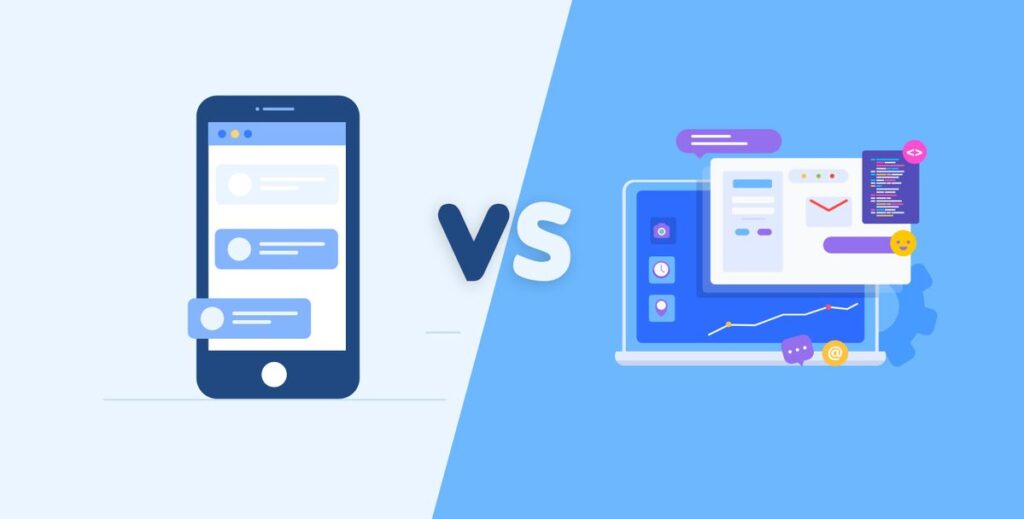
In today’s digital-first world, businesses can no longer rely on guesswork when investing in technology. Whether you are a startup launching your first online presence or an established brand planning to scale operations, one foundational decision can shape your digital success: should you build a website or a web application?
For many organizations working with a website, web, or mobile app development company, this decision directly impacts performance, scalability, and user experience. Although the terms are often used interchangeably, websites and web applications serve very different purposes.
Understanding these differences is essential for choosing the right solution based on your business goals, user expectations, and long-term growth plans. This guide breaks down everything you need to know to help you make an informed decision.
What Is a Website?

A website is a collection of interconnected web pages designed primarily to present information. Websites are typically content-focused and are built to communicate a message, showcase offerings, or establish an online presence.
Most websites are publicly accessible and do not require users to log in or interact deeply beyond basic navigation.
Key Characteristics of a Website
1. Static or Semi-Dynamic Content
Websites mainly display content that remains the same for all users, such as text, images, and pages. Updates are usually made manually through a CMS and do not change in real time based on user behavior.
2. Limited User Interaction
User interaction on websites is minimal and typically limited to actions like clicking links, submitting contact forms, or browsing pages without personalized experiences.
3. Minimal Backend Processing
Websites require little backend logic since most content is delivered directly to the user without complex data handling or real-time processing.
4. Faster to Build and Deploy
Because of their simpler structure, websites can be designed, developed, and launched quickly, making them ideal for businesses that need a fast online presence.
5. Lower Development and Maintenance Costs
With fewer technical requirements and integrations, websites are more affordable to build and easier to maintain over time compared to web applications.
Common Types of Websites
These are the common types of websites you can pick from:
1. Corporate or Business Websites
These websites represent a company’s brand, services, and values. They are designed to build credibility, provide essential business information, and serve as a digital touchpoint for potential clients and partners.
2. Blogs and Content Portals
Blogs and content portals focus on publishing articles, news, guides, and resources. They support content marketing strategies, improve search visibility, and help businesses establish authority in their industry.
3. Portfolio Websites
Portfolio websites showcase work samples, case studies, or creative projects. They are commonly used by freelancers, agencies, and professionals to highlight expertise and attract new opportunities.
4. Informational Landing Pages
These single-purpose pages are created to deliver specific information or promote a particular service, product, or event, often supporting lead generation or advertising campaigns.
5. Marketing and Campaign Websites
Marketing and campaign websites are designed for promotions, product launches, or time-bound campaigns. They focus on storytelling, conversions, and audience engagement rather than long-term content.
A website is often the first digital step for businesses that want visibility, credibility, and discoverability online.
What Is a Web Application?

A web application is a software program that runs in a web browser and allows users to perform tasks, manipulate data, and interact dynamically with the system.
Unlike websites, web applications are action-driven. They respond to user inputs in real time and rely heavily on backend logic, databases, and APIs.
Key Characteristics of a Web Application
1. Highly Interactive and User-Driven
Web applications are built around user actions, allowing real-time interactions such as data input, updates, and personalized experiences based on user behavior.
2. Requires Backend Development
Web applications rely on backend systems to process requests, manage logic, and handle operations, making backend development a core component of their functionality.
3. Uses Databases for Data Storage
Databases are essential for storing, retrieving, and managing user data, application content, and system records efficiently and securely.
4. Often Includes User Authentication
Most web applications require users to create accounts and log in, enabling personalized access, role-based permissions, and secure data handling.
5. Regular Updates and Maintenance
Web applications need continuous updates to improve performance, add features, fix bugs, and maintain security as user needs and technologies evolve.
Common Types of Web Applications
These are the common types of web applications you can pick from:
1. SaaS Platforms
SaaS platforms deliver software solutions directly through a web browser, allowing users to access features, manage data, and collaborate without installing software locally.
2. Customer Portals
Customer portals provide secure, personalized access for users to view information, manage accounts, track requests, and interact with services in one centralized space.
3. Online Booking Systems
Online booking systems enable users to schedule appointments, make reservations, and manage availability in real time, improving efficiency and user convenience.
4. Dashboards and Analytics Tools
Dashboards and analytics tools present data visually, allowing users to monitor performance, track metrics, and make data-driven decisions through interactive interfaces.
5. E-commerce Platforms with Advanced Functionality
These platforms go beyond basic online stores by offering features such as user accounts, order tracking, inventory management, payment integrations, and personalized shopping experiences.
Web applications are ideal for businesses that need automation, personalization, and ongoing user engagement.
Core Differences Between Websites and Web Applications

While both run in a browser and are accessed via URLs, their purposes and architectures differ significantly.
1. Purpose and Functionality
Websites focus on delivering information. Web applications focus on enabling actions.
A website answers questions. A web application solves problems.
2. User Interaction
Websites allow limited interaction such as reading content, clicking links, or filling out contact forms. Web applications allow users to log in, manage profiles, process data, and complete workflows.
3. Complexity
Websites are simpler in structure and functionality. Web applications are complex systems that involve frontend logic, backend servers, databases, and integrations.
4. Performance and Scalability
Web applications are built to scale with user growth and increasing data loads, while websites typically scale only in terms of traffic.
5. Maintenance and Updates
Websites require occasional updates to content or design. Web applications require continuous monitoring, security updates, and feature improvements.
When a Website Is the Right Choice?
A website is the best solution if your business goals revolve around visibility, branding, and information sharing.
Choose a Website If You:
- Need an online presence quickly
- Want to showcase services or products
- Rely on content marketing or SEO
- Have a limited budget
- Do not require complex user interactions
For small businesses, consultants, and early-stage startups, a website is often the most cost-effective and practical option.
When a Web Application Makes More Sense?
A web application is the right choice when your business model depends on user engagement, automation, or data processing.
Choose a Web Application If You:
- Offer digital services or SaaS products
- Need user accounts or dashboards
- Handle large volumes of data
- Require integrations with third-party tools
- Plan for long-term scalability
If your product is the business itself, a web application is usually the foundation.
Cost Comparison: Website vs Web Application

Cost is often a deciding factor, but it should never be the only one.
Website Costs Typically Include:
1. Design and UI Development
This includes creating the visual layout, branding elements, and overall user interface to ensure the website is visually appealing and easy to navigate.
2. Frontend Development
Frontend development focuses on converting designs into functional web pages using clean, responsive code that works seamlessly across devices and browsers.
3. Basic CMS Setup
A content management system is configured to allow easy updates to text, images, and pages without requiring technical expertise.
4. Hosting and Domain
Website costs also include domain registration and hosting services, which make the website accessible online and ensure stable performance and uptime.
Websites are generally affordable and predictable in cost.
Web Application Costs Typically Include:
1. Frontend and Backend Development
This involves building the user-facing interface along with the server-side logic that powers functionality, processes data, and manages application workflows.
2. Database Architecture
Database architecture is designed to store, organize, and retrieve large volumes of data efficiently while supporting scalability and performance.
3. API Integrations
APIs connect the web application with third-party services such as payment gateways, CRMs, analytics tools, and external platforms to extend functionality.
4. Security Implementation
Security measures are implemented to protect user data and system integrity, including authentication, data encryption, access controls, and secure communication protocols.
5. Ongoing Maintenance and Updates
Web applications require continuous maintenance to improve performance, add new features, fix bugs, and ensure long-term reliability and security.
Web applications require a larger initial investment but can generate higher long-term value.
Development Time and Resources
Websites can often be built within weeks, especially using modern frameworks or CMS platforms. Web applications take longer due to planning, testing, and system architecture.
A web application project typically involves:
- Product discovery and planning
- UI/UX design
- Frontend and backend development
- Testing and QA
- Deployment and optimization
The complexity directly affects timelines and resource requirements.
User Experience Expectations
Modern users expect seamless digital experiences. The choice between a website and a web application significantly impacts UX design.
Websites prioritize clarity, navigation, and content flow. Web applications prioritize usability, responsiveness, and task efficiency.
A mismatch between user expectations and platform capabilities can lead to poor engagement and high bounce rates.
Security Considerations
Web applications handle sensitive user data and require robust security measures such as:
- Authentication and authorization
- Data encryption
- Secure APIs
- Regular vulnerability testing
Websites also require security, but the risks are typically lower unless they collect user data.
SEO and Marketing Impact
Websites are inherently more SEO-friendly and easier to optimize for search engines. Content-driven pages rank better and attract organic traffic.
Web applications can also support SEO, but it requires additional technical effort such as server-side rendering and optimized routing.
For businesses focused on lead generation, a website often acts as the primary marketing engine, while the web application supports customer retention.
Can You Have Both?
Yes of course you can! Many successful businesses do own both.
A common approach is to use:
- A website for marketing, content, and lead generation
- A web application for logged-in users and core functionality
This hybrid model allows businesses to maximize visibility while delivering powerful digital experiences.
Tips to Choose the Right Digital Solution
Here are some tips to help you make the right choice:
1. Define Your Primary Goal
Determine whether your main objective is to share information, generate leads, or provide interactive services. The goal will guide the choice between a website and a web application.
2. Understand Your Target Audience
Analyze what your users expect. If they need personalized experiences, data management, or interactive features, a web application is ideal. For simple browsing or content consumption, a website works best.
3. Evaluate Budget and Timeline
Websites are quicker and more cost-effective to develop. Web applications require more time and investment but deliver scalable functionality and long-term value.
4. Consider Long-Term Growth
Plan for the future. Choose a solution that can scale with user growth, integrate new features, and support complex workflows as your business evolves.
5. Seek Expert Guidance
Consult a trusted mobile app and web development company to gain professional insights and ensure your choice aligns with both user experience and business objectives.
How to Choose the Right Digital Solution?
Before deciding, ask yourself:
- What problem am I solving?
- Who are my users?
- What actions do users need to perform?
- How do I plan to scale?
- What is my long-term vision?
The right choice aligns technology with business strategy, not trends.
Final Thoughts
Choosing between a website and a web application is not about which is better; it is about which is right for your business.
Websites are ideal for visibility, branding, and communication. Web applications are built for interaction, automation, and growth. Understanding the difference ensures smarter investments, better user experiences, and stronger digital outcomes.
If you are unsure which solution fits your goals, working with an experienced digital partner can help you define the right path forward.
At TekInvent, we help businesses design and develop both high-performing websites and scalable web applications that are tailored to real business needs, not assumptions. So, what are you waiting for? Contact us now to get started on your next website or web app project!

Build Smart with The Right Team.
We bring expertise, technology, and trust you look for in your digital journey.